
AI Portrait Studio
Studio-Lit Portraits Without the Studio
Describe a subject, choose a lighting setup, and this AI portrait studio renders a fully lit portrait in about fifteen seconds — three-point, low-key, high-key, golden hour, Rembrandt or colour gel, each with its own backdrop and lens character. No room to book, no lighting kit to rig, no shoot day to schedule. Built for designers, art directors, marketers and creators who need photo portrait creation on a deadline. Free to try, no login required.
Try the AI Portrait Studio — Free
Pick a lighting setup, describe your subject in the box below it, and the studio renders a 4K portrait in about fifteen seconds. No account, no software, no shoot day.
AI Portrait Studio
Choose a professional lighting setup, add your subject description, and generate a studio-quality portrait instantly. No camera, no studio hire, no subscription.
Six Lighting Setups From One AI Portrait Studio
Corporate, editorial, beauty, lifestyle, fine-art and fashion — every frame below was generated on this page
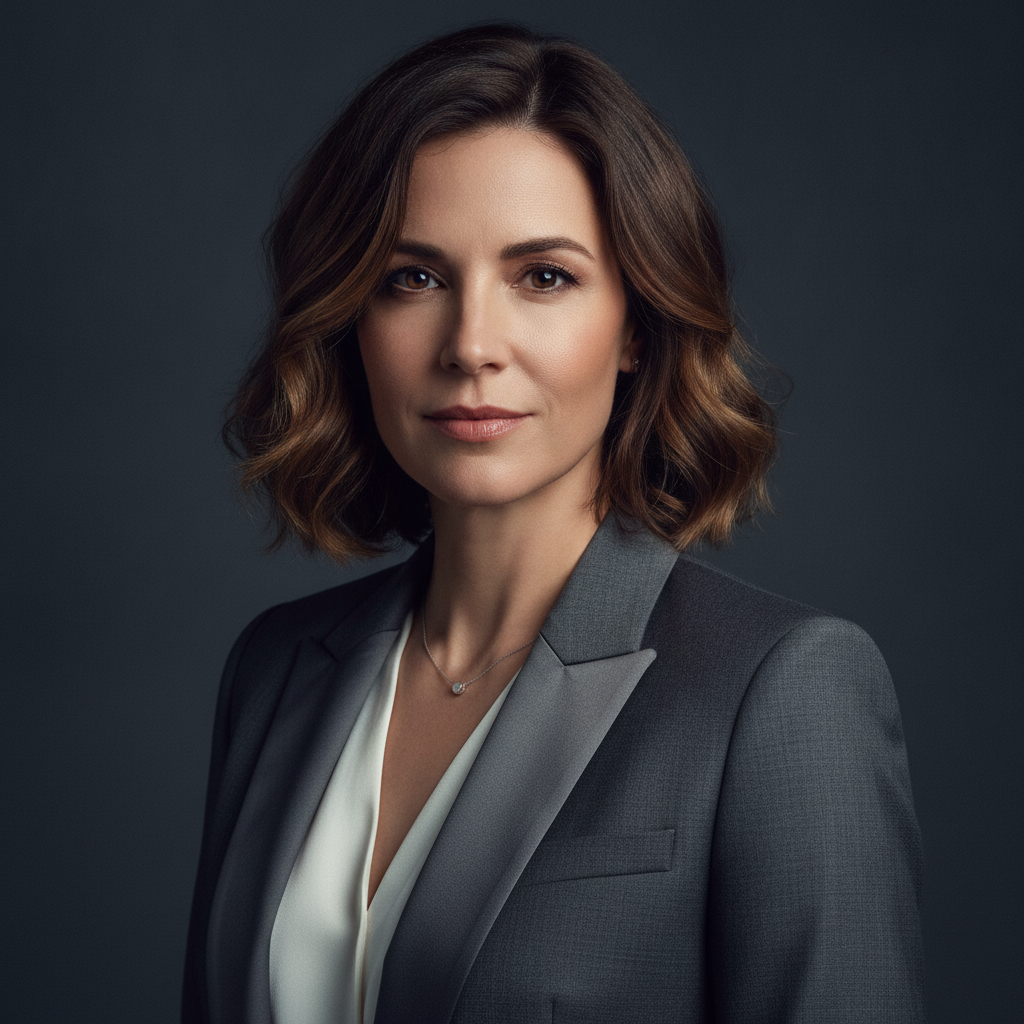
Classic Three-Point
Corporate & About Pages
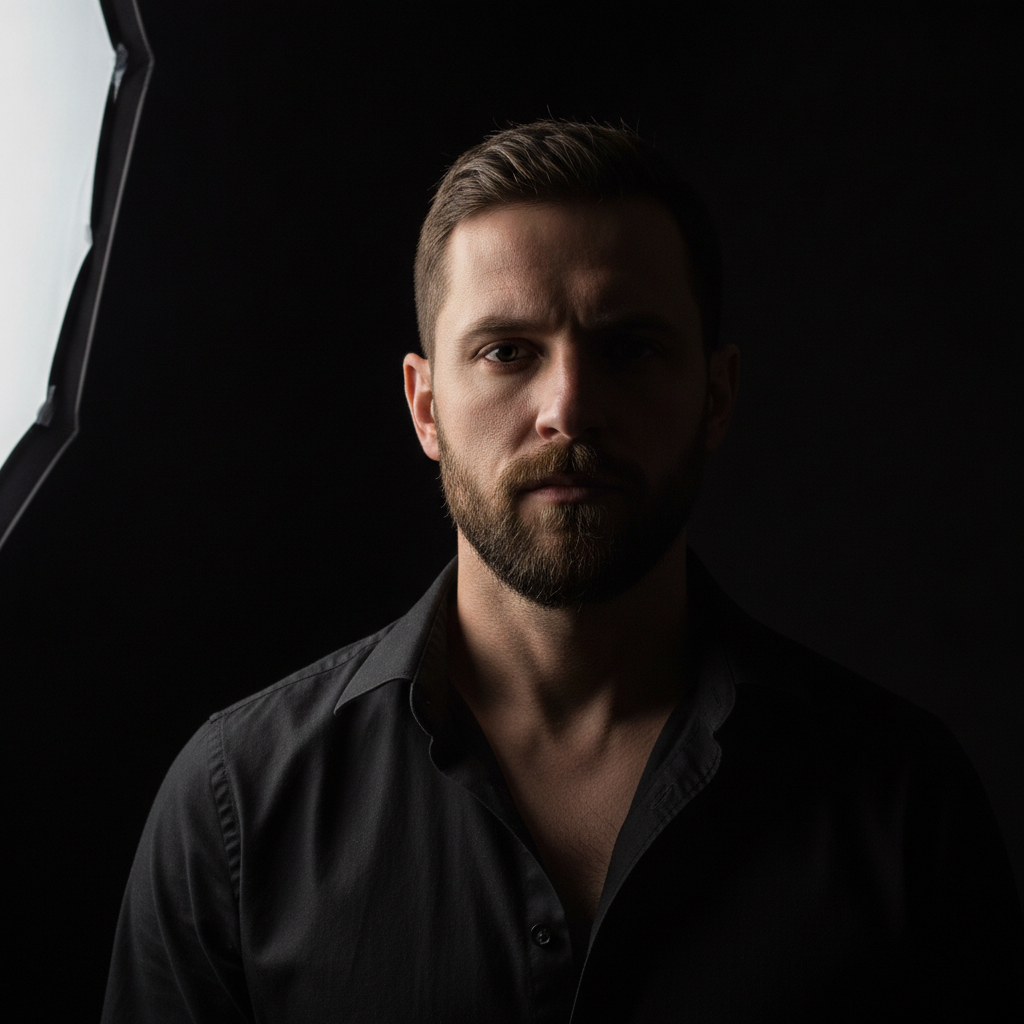
Low-Key & Dramatic
Editorial & Music
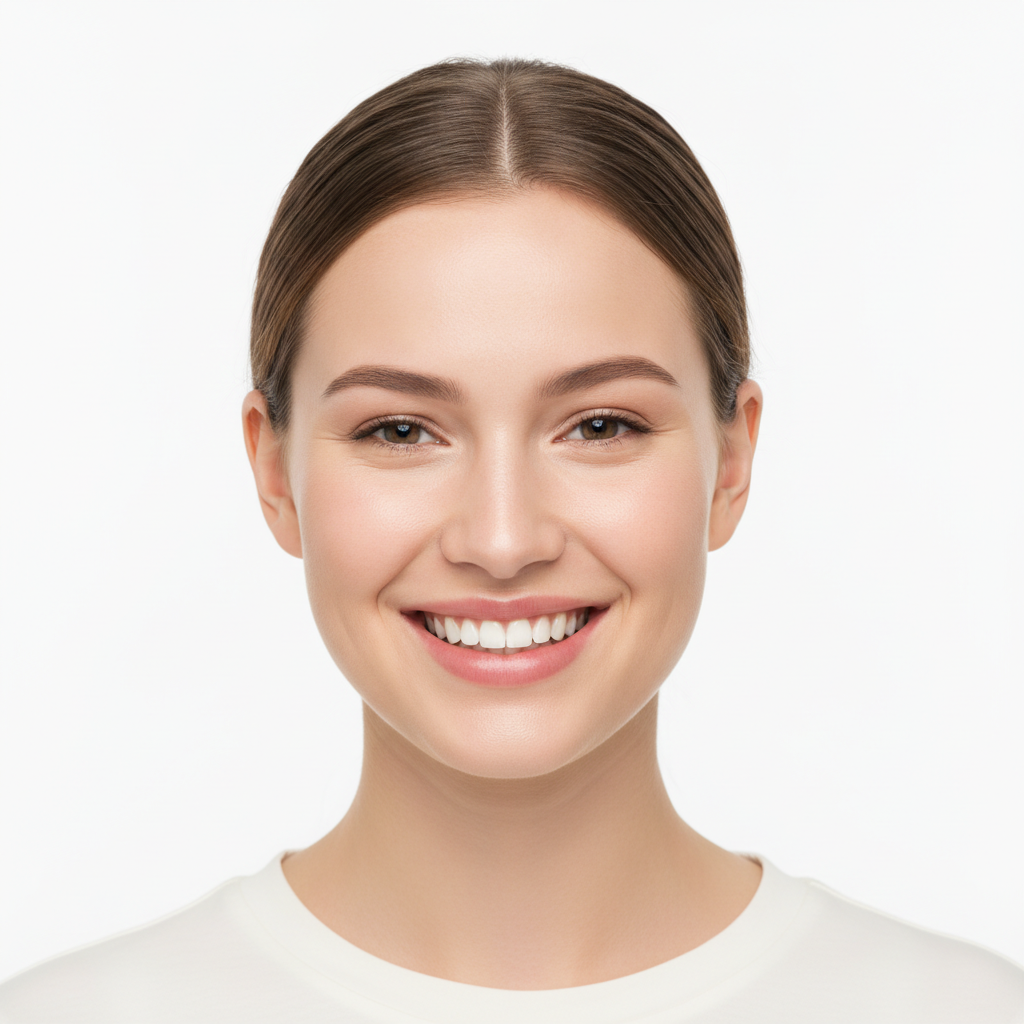
High-Key on White
Team Pages & Beauty
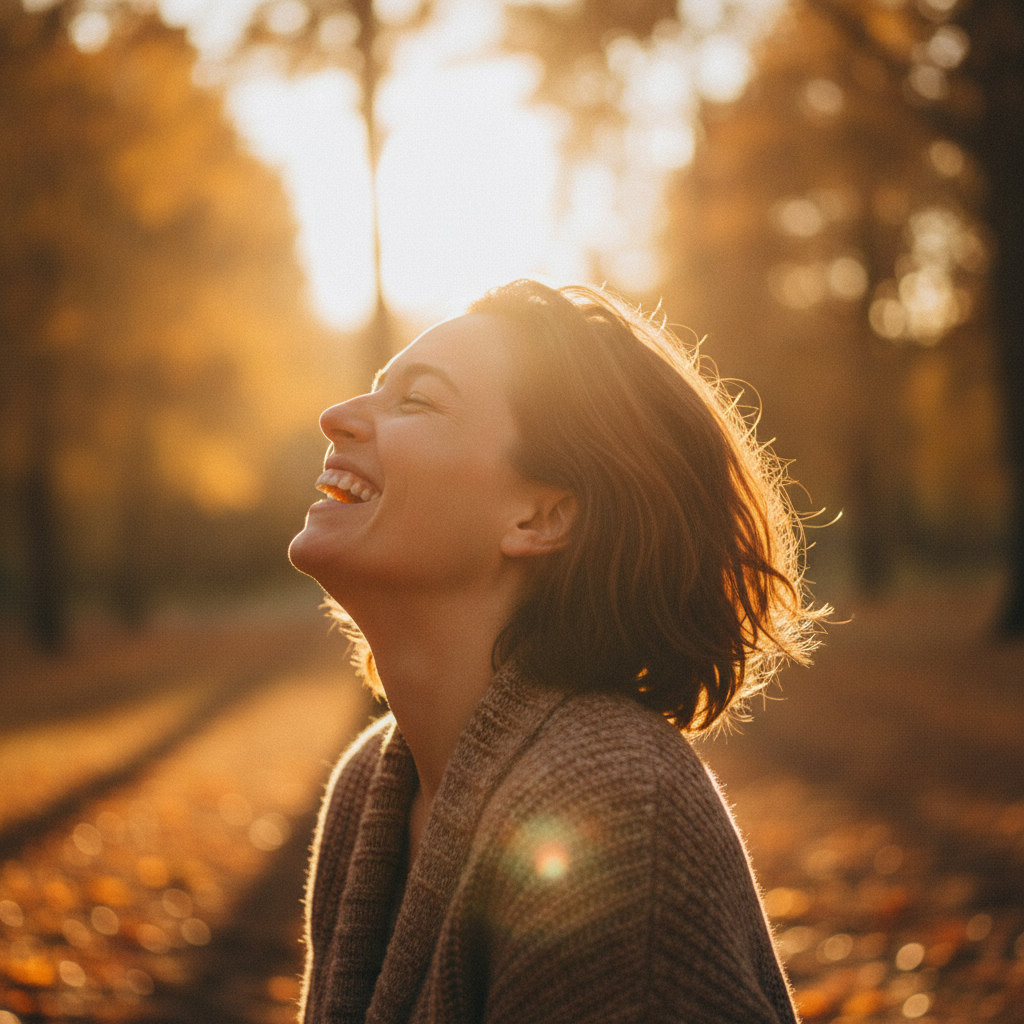
Golden Hour Natural
Lifestyle & Brand
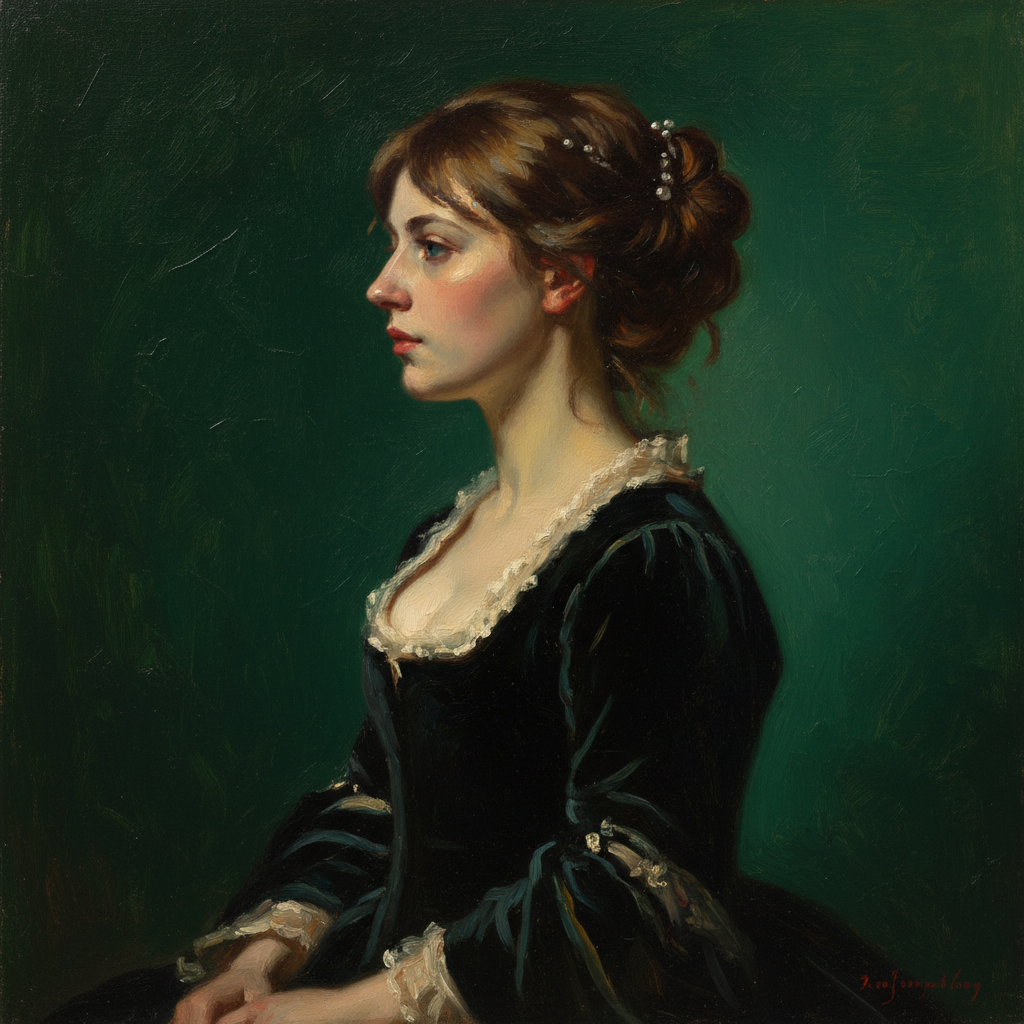
Rembrandt Fine-Art
Gallery & Print
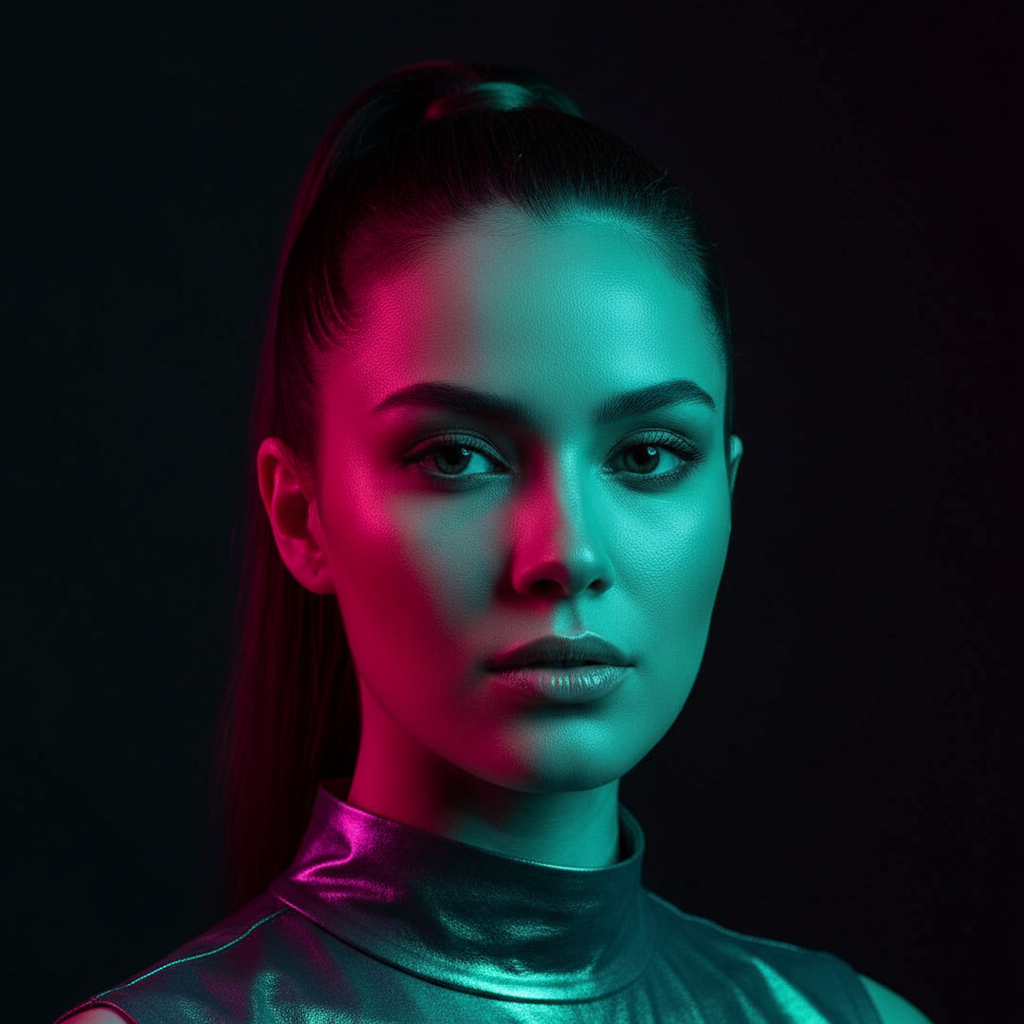
Colour Gel Fashion
Covers & Campaigns
How the AI Portrait Studio Works
Three steps, about fifteen seconds — no lighting kit, no backdrop, no shoot day
Choose Your Lighting
Pick from three-point, low-key, high-key, golden hour, Rembrandt or colour gel. Each preset carries a complete setup — key light position, fill, backdrop colour and lens character — so the choice determines the whole geometry of the shot rather than a surface tint.
Describe the Subject
Add age, wardrobe, expression and framing in the prompt box — "woman in her thirties, close-cropped hair, olive green blazer, looking off-camera". Specificity is the whole game: a bare noun returns an average of everything the model has seen, while a described person returns yours.
Compare, Then Download
The portrait arrives at 4K-class resolution in about fifteen seconds. Because it is free to run, put the same subject through three setups and judge them side by side — that comparison is far more reliable than picturing the difference. Paid plans from $2.99 add watermark-free files and commercial rights.
What Makes This Digital Portrait AI Different
Photographic lighting vocabulary, separated controls, and an honest account of the limits
Six Real Lighting Setups, Not Six Filters
The presets on this page are named after setups a photographer would physically build: three-point with a key, fill and hair light; low-key with a single rim against black; high-key on white seamless; golden hour with backlit flare; Rembrandt with its triangle of light on the shadowed cheek; and a magenta-teal colour gel. That vocabulary matters because it is directional. A filter changes an image after the fact and cannot decide where a shadow falls, whereas telling the model to render Rembrandt lighting determines the whole geometry of the face — which side is lit, where the nose shadow lands, how deep the falloff runs.
The Studio Without the Studio Day
A conventional portrait session means booking a room, hauling or renting a lighting kit, hanging a paper roll, coordinating a person to sit for it and then waiting on the edit. Half a day and a few hundred dollars, minimum, before you find out whether the direction was right. An AI portrait studio compresses that to a description and about fifteen seconds, which changes what you are willing to try. Testing four lighting directions costs nothing, so you can settle the look before anyone commits budget to the real shoot — or discover that the version you were about to book was the wrong one.
Subject and Lighting Are Separate Controls
Each preset carries the lighting, the backdrop and the lens character; the custom prompt box carries the person. Add "man in his sixties, grey beard, navy knit sweater, three-quarter view" and the lighting stays exactly as specified while the subject changes completely. That separation is what makes the tool usable for real work rather than novelty. You can hold one variable fixed and sweep the other: same subject across six lighting setups to choose a look, or one lighting setup across six subject descriptions to build a consistent cast for a brand page or a deck.
4K Output That Survives a Crop
Portraits render at 4K-class resolution, which is the practical threshold between an image you can only use at the size it arrived and one you can actually work with. It holds up as a full-bleed web hero, a printed page, a poster crop or a slide background, and it leaves enough room to re-crop from a waist-up frame to a tight head-and-shoulders without the result going soft. Files download as PNG. Fifteen seconds per render means iterating on framing and wardrobe is a conversation rather than a commission.
These Are Synthetic People — Say So
This studio generates a new person matching your description; it does not photograph you. The faces are synthetic and are not any real individual, which is exactly what you want for concept work, casting references, mood boards and placeholder imagery, and exactly what you must not present as a real customer, employee or testimonial. A growing number of platforms and publications also require AI-generated imagery to be disclosed. If you need your own face professionally lit, use an upload-based tool instead — the portrait enhancement pages linked below take your actual photograph.
Free to Try, $2.99 to Unlock
The generator runs in the browser with nothing to install, no plugin and no graphics card. Free usage is protected with per-IP rate limits rather than ads or a login wall, so you can put several real briefs through it before deciding anything. Paid plans start at $2.99 and include unlimited high-resolution runs, watermark-free downloads and full commercial usage rights with no ongoing subscription — which fits how portrait work actually arrives: a burst of images before a launch or a pitch, not a steady monthly load.
Who Uses an Automated Portrait Tool
Four situations where a real studio session is too slow, too costly, or simply premature
Designers & Art Directors
Layouts need a face long before a shoot is scheduled, and grey boxes do not sell a concept. Studio-lit placeholders let a pitch deck or a landing page comp read the way the finished thing will, with the lighting direction already decided. It also settles arguments cheaply: rendering the same brief as low-key and as high-key turns a taste debate into a side-by-side, and the version everyone picks becomes the brief for the real photographer.
Marketers & Content Teams
Campaign calendars need more portrait imagery than any stock subscription covers well, and stock has its own problem — the same handful of faces circulate across every competitor in a category. Photo portrait creation on demand produces subjects that fit the specific brief instead of approximately fitting it. Keep the disclosure rules of the platform you are publishing on in view, and never label a generated person as a real customer.
Writers & Game Designers
Character work benefits enormously from a face to write against. A cast sheet where every character was rendered under the same Rembrandt or low-key setup reads as one world rather than a scrapbook, and holding the lighting fixed while varying age, wardrobe and expression is exactly what this tool is shaped for. For stylised fantasy and sci-fi casts, the character portrait generator linked below is tuned harder in that direction.
Photographers Planning a Shoot
Pre-visualisation used to mean a lighting diagram and a conversation. Rendering the setup you intend to build gives the client something to approve before the rental invoice, and it is a genuinely useful teaching aid — the difference between Rembrandt and short lighting is far clearer as two images than as two paragraphs. It does not replace the session; it removes the guesswork from the half of the session that is arguing about direction.
AI Portrait Studio — FAQ
Lighting setups, likeness limits, resolution and commercial use
Light a Portrait in Fifteen Seconds
Describe the person, choose the setup, and see it lit. The studio is loaded on this page, free to try, and needs no account, no install and no shoot day. Run three lighting directions before you commit to one.
Start Creating FreeAn AI Portrait Studio for Designers, Marketers and Creators
The expensive part of portrait photography was never the camera. It was the room, the lights and the day — a rented space, a key light on a boom, a fill card, a hair light, a paper roll taped to the floor, and a person available to sit under all of it. That infrastructure is what an AI portrait studio replaces. You describe the subject, choose the lighting setup, and roughly fifteen seconds later there is a fully lit 4K portrait with the shadows falling where that setup puts them. This page runs on Nano Banana Pro, and the six presets above are named after real setups rather than invented style labels, because the name is the instruction: choosing Rembrandt determines which cheek carries the triangle of light, and choosing low-key determines how fast the falloff runs into black.
What makes the tool useful for actual work rather than novelty is that lighting and subject are separate controls. The preset carries the setup, the backdrop and the lens character; the prompt box carries the person. Hold one fixed and sweep the other and you get the two workflows that come up most often. Sweep the lighting across one subject and you have a comparison that settles a direction argument in a minute — the difference between high-key on white and a magenta-teal gel is obvious as two images and nearly impossible to adjudicate in the abstract. Sweep the subject across one lighting setup and you have a consistent cast: an about page, a cast sheet, a set of persona cards that read as one body of work because they were all lit the same way. Being specific in that prompt box is the largest quality lever available, and it costs nothing — a bare noun returns an average of everything the model has seen, while age, wardrobe, expression and framing return something close to the picture in your head.
Two limits deserve stating plainly rather than in a footnote. This automated portrait tool generates a new synthetic person matching your description; it is not a photograph of you and it is not any real individual. That is exactly right for concept work, casting references, mood boards, character design, editorial mock-ups and placeholder imagery, and exactly wrong for anything presented as a real customer, employee or testimonial — a claim about a person who does not exist is a problem in advertising standards as well as in taste. Many platforms and publications now also require AI-generated imagery to be disclosed, so check the rules where the image will run. And if what you actually want is your own face under professional lighting, the right tool is an upload-based one, not this page.
Whether you arrived searching for "AI portrait studio", photo portrait creation, an automated portrait tool, digital portrait AI or portrait enhancement, this is the dedicated page for it on aibanana.net. For your own photograph rather than a generated subject, AI Portrait Enhancement Tool and AI Portrait Photo Enhancer both work from an upload, and AI Portrait Styler restyles an existing portrait. For generated subjects with a different emphasis, AI Portrait Generator is the general-purpose starting point and AI Character Portrait Generator is tuned for fantasy and sci-fi casts. If a finished portrait needs more resolution for print, run it through AI Image Upscaling. The studio above runs server-side and asks for no account, email or credit card — free usage is protected with per-IP rate limits rather than ads or a login wall. Paid plans from $2.99 unlock unlimited high-resolution runs, watermark-free downloads and full commercial usage rights with no ongoing subscription.