
Node.js Backend AI Image Tool
Generating images from server-side JavaScript is one HTTP call. Running it in production is a queue, a retry policy, an idempotency key and somewhere durable to put the bytes. This page covers the Node.js backend AI image tool integration end to end — the call itself, the architecture around it, and the failure modes worth designing for before they reach your on-call rotation.
Try The Generator FreeTry It Now — Free
Prototype the prompt here before you wire it into a worker. Each preset matches an asset type backends actually generate on demand — social cards, docs art, icon sets, catalogue thumbnails. No account needed.
Node.js Backend AI Image Tool
Pick the asset type your backend needs to generate, describe the subject, and get a 4K-class result in seconds
What A Node.js Backend AI Image Tool Generates
Six unretouched outputs across the asset types backends generate on demand — per-route social cards, documentation art, batched icon sets, catalogue thumbnails, reusable headers, and bulk jobs that have to stay visually consistent.
Open Graph Cards
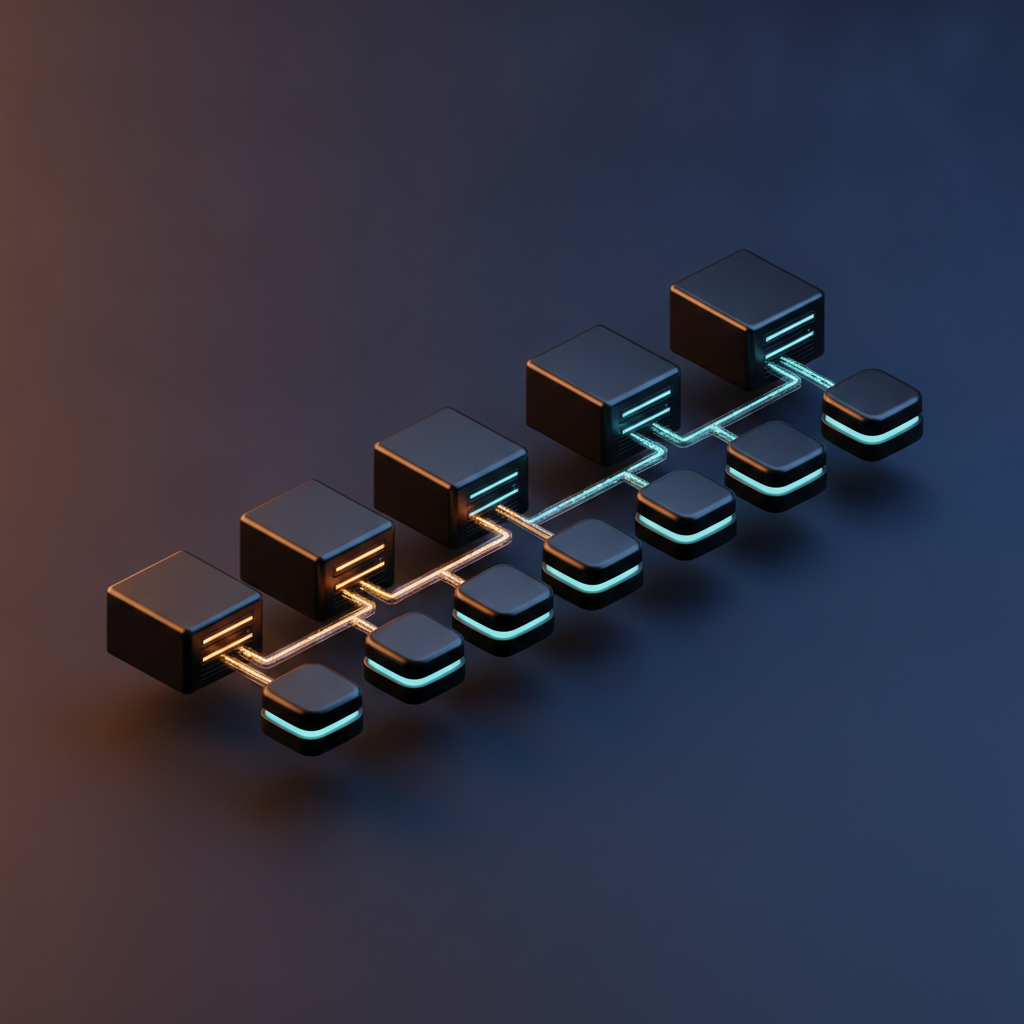
Architecture Art
Icon Sets In Batch

Catalogue Thumbnails

Header Backgrounds

Consistent Batches
The Node.js Integration, In One Module
No SDK, no HTTP client dependency. The global fetch that ships with Node 18 and later is enough — what earns its place is the retry policy and the timeout around it.
// lib/image-client.ts — one module owns auth, timeout and retries
const ENDPOINT = 'https://api.aibanana.net/v1/generate'
const RETRYABLE = new Set([408, 429, 500, 502, 503, 504])

export async function generateImage(prompt: string, opts = {}) {
  for (let attempt = 0; attempt < 4; attempt++) {
    const res = await fetch(ENDPOINT, {
      method: 'POST',
      headers: {
        Authorization: `Bearer ${process.env.AIBANANA_API_KEY}`,
        'Content-Type': 'application/json',
      },
      body: JSON.stringify({ prompt, aspect_ratio: '1:1', ...opts }),
      signal: AbortSignal.timeout(120_000),
    })

    if (res.ok) return res.json()
    if (!RETRYABLE.has(res.status)) {
      throw new Error(`Generation failed: ${res.status} ${await res.text()}`)
    }
    // exponential backoff with jitter, honouring Retry-After when present
    const after = Number(res.headers.get('retry-after')) * 1000
    const backoff = after || 2 ** attempt * 500 + Math.random() * 250
    await new Promise((r) => setTimeout(r, backoff))
  }
  throw new Error('Generation failed after 4 attempts')
}
Call this from a worker, never from inside a request handler. Everything that makes the integration production-grade — the queue in front of it, the idempotency key, the upload to your own storage — lives around this module rather than inside it.
How The Node.js Backend Flow Works
Accept And Enqueue
Your route handler validates the prompt, applies a per-user rate limit, writes a job row with status pending and returns 202 with the job id. Nothing slow happens inside the request, so the endpoint stays fast and no reverse proxy ever times it out.
Generate In A Worker
A worker picks the job up, POSTs to the generation endpoint with an AbortSignal timeout, and applies your retry policy on transient failures. Because it runs outside the request cycle it can take fifteen seconds or ninety without anyone watching a spinner.
Store, Then Mark Done
Stream the result into R2 or S3 under a deterministic key, write that key and the outcome onto the job row, and let the client poll or receive a webhook. Persisting your own key rather than an upstream URL is what stops the assets expiring underneath you.
Five Ways An AI Image Tool Breaks A Node.js Backend
None of these show up with one developer and one request. All of them show up the week after launch, so they are worth designing for now rather than debugging later.
A generation takes about fifteen seconds and longer under load, which is past the default timeout on most reverse proxies, load balancers and serverless platforms. Holding the connection open ties up a socket, gives the user a spinner they cannot recover from if the tab closes, and turns a slow upstream into a cascading outage of your own. Accept the request, write a job row, return 202 with an id, and let a worker do the slow part. The client polls the job or receives a webhook. This single change is the difference between an integration that survives its first traffic spike and one that does not.
Waiting on the network is free in Node — the event loop handles thousands of in-flight requests without noticing. Resizing, re-encoding or hashing a 4K PNG is not: it is CPU-bound, and CPU-bound work on the main thread blocks every other request in that process for its full duration, health checks included. Sharp does its work in libuv threads and releases the loop, which is exactly why it beats a pure-JavaScript image library here. Anything heavier belongs in a worker thread or a separate process. The symptom is latency on unrelated endpoints, which is why this one is so often misdiagnosed.
A URL returned by a generation API is a temporary handle, not an address. Writing it into your database gives you rows that resolve today and 404 in a month, and the failure is silent — nobody notices until a customer opens an old record. Stream the response body straight into R2 or S3 as soon as generation completes, store your own key, and serve through a CDN. Use a deterministic layout such as tenant/date/job-id.png so you can expire, audit and bulk-delete later without a full table scan. R2 is worth preferring for image-heavy products because zero egress usually dominates the cost comparison.
Blanket retries on a 400 burn credits on a request that will fail identically forever; no retries at all turns a routine 429 into a failed user job. Back off exponentially with jitter on 408, 429 and 5xx, honour Retry-After when it is present, cap at three or four attempts, and fail fast on other 4xx. Content-policy refusals deserve exactly one retry — a share of them are transient and the same prompt succeeds on the second attempt — after which record the reason on the job so support can answer the question without reading logs. And make the path idempotent with a client-supplied key, because a retried webhook that bills twice is a much worse bug than a slow image.
The cost risk in a backend integration is never the unit price, it is the retry loop or the duplicate submission nobody bounded. Put a hard per-user and per-tenant limit in front of the enqueue endpoint before launch, not after the first invoice. Hash the normalised prompt plus its options and check for an existing asset first — for template-driven work like social cards that deduplicates a large share of traffic outright. Emit a metric per generation carrying cost, latency and outcome so a runaway shows up on a dashboard the same day. Every one of these is ten minutes of work up front and a genuinely unpleasant surprise if skipped.
Why This AI Image Tool Fits A Node.js Backend
Plain fetch, No SDK Lock-In
Node 18 and later ship a global fetch, so calling the generation endpoint needs no HTTP dependency at all. A single POST with a Bearer header and a JSON body is the whole integration surface, which means no package to keep upgrading and nothing that breaks when your runtime moves.
Built For Queued Work
Generation takes seconds, not milliseconds, so the endpoint is designed to be driven from a worker rather than from inside a request handler. Enqueue with BullMQ or a database-backed job table, return a job id immediately, and let the worker own the slow part.
Retryable Error Semantics
Standard HTTP status codes make the retry decision mechanical: back off on 429 and 5xx, fail fast on 4xx, retry a policy refusal exactly once because a share of them are transient. Your worker can encode that policy in a dozen lines instead of guessing from prose error strings.
Stream Straight To R2 Or S3
Pipe the response body into your own object storage the moment it lands and persist your key, not ours. Cloudflare R2 charges no egress, which for an image-heavy product is usually the difference between a rounding error and the largest line on the bill.
4K Masters, ~15s Per Run
A print-usable master comes back in roughly fifteen seconds under normal load, with requests queueing rather than silently degrading to a cheaper model at peak. Predictable latency is what lets you set a sane job timeout instead of an optimistic one.
Keys Stay Server-Side
Reading the key from process.env inside a route handler, a server action or a worker keeps it out of every client bundle. That is the entire reason this belongs in your Node.js backend rather than in the browser, and it is worth being deliberate about.
What Developers Build With It
Dynamic OG Images
A card per post, per profile or per release, generated once on first request and cached in object storage forever after. The classic Node.js backend job, and the one where prompt-hash caching pays for itself fastest.
Catalogue Pipelines
Thousands of listing images that must share a background, a light direction and a crop. A worker pool grinding through a queue overnight is the right shape, and consistency across the set matters more than any single frame.
SaaS Product Features
Image generation exposed to your own users behind your own credits, quotas and moderation. Your backend is where the per-tenant limits and the audit trail belong, which is precisely why the key never goes to the client.
Content And Docs Systems
Headers, diagrams and placeholder art produced at publish time from a CMS hook, so an article ships with artwork without a designer in the loop for every post.
Node.js Backend AI Image Tool FAQ
Prototype The Prompt Before You Ship The Worker
The slowest part of a backend image integration is discovering that the prompt was wrong after the queue is already built. Test it here first — free, no account, 4K result in about fifteen seconds.
Try The Generator FreeChoosing A Node.js Backend AI Image Tool
Most comparisons between image models focus on output quality, which is the easiest thing to judge from a gallery and the least useful thing to judge from a backend. By the time you are integrating, quality is roughly a solved question across the current generation of models — what separates a good Node.js backend AI image tool from a frustrating one is everything around the pixels. Does it return standard HTTP status codes you can write a retry policy against, or prose errors you have to pattern-match? Is the latency predictable enough to set a job timeout, or does it silently degrade to a cheaper model at peak so your output quality varies with time of day? Can you call it with the global fetch your runtime already has, or does it require an SDK that becomes your problem at every major version? Those are the properties you live with for years.
The integration itself is genuinely small. One module owns the endpoint, the Bearer token read from process.env, an AbortSignal timeout and a backoff loop that distinguishes retryable status codes from terminal ones — that is the whole surface, and it fits comfortably on one screen. What takes the real engineering is the shape around it. Generation is slow enough that it must not happen inside a request handler, so you need a queue: BullMQ on Redis at scale, or a jobs table polled by a worker if you would rather not run another service, which is a perfectly reasonable choice at low volume. You need an idempotency key so a retried submission or an at-least-once webhook cannot bill a customer twice. And you need somewhere durable for the bytes, because any URL the generation API returns is a temporary handle rather than an address you can store.
Two constraints deserve naming early because they quietly shape the architecture. The first is the Node.js event loop: waiting on a network call is free, but resizing or re-encoding a 4K PNG is CPU-bound and will block every other request in the process while it runs. Sharp is the right tool precisely because it does its work in libuv threads and releases the loop; a pure-JavaScript image library will not, and the symptom is unexplained latency on endpoints that have nothing to do with images. The second is serverless execution limits. A route handler that validates input and enqueues a job is a perfect fit for a serverless function; a function that waits on a slow generation and then streams a large upload is a timeout waiting to happen, and it leaves you with half-written objects and jobs wedged in a processing state. Split the two, or drive completion with webhooks and make the callback idempotent.
The practical sequence is unglamorous and works: prototype the prompt in the generator above until the output is right, move it into a client module with a real retry policy, put a queue and a per-tenant rate limit in front of it, stream results into R2 or S3 under a deterministic key, cache on a hash of the normalised prompt so template-driven assets are generated once rather than every request, and emit a metric per generation carrying cost, latency and outcome. Testing the generator is free after a one-time bot check, and paid plans start at $2.99 with unlimited high-resolution runs, watermark-free downloads and full commercial rights. If you want the endpoint reference and examples in other languages, the AI image generator API page covers it; for the reliability characteristics that matter once this is carrying production traffic, see battle-tested AI image processing, and the rest of the AI image tools cover the more specialised jobs around it.