
AI Image Generator vs Traditional Software
Photoshop, Illustrator, GIMP, Affinity and Canva against a described sentence. This page sets AI image generator vs traditional software on ten dimensions that decide real image editing work — speed, control, type, cost, file deliverables and fidelity — and is honest about the five where the established art tools still win outright. The generator is on the page, so you can run the comparison on your own brief rather than take our word for it.
The short answer, before the detail
These tools are not substitutes, which is why most versions of this argument go nowhere. Traditional software edits pixels that already exist; an AI image generator invents pixels that never did. The generator wins decisively on producing an image from nothing, on speed, on exploring many directions and on being usable by someone who never learned layers. Traditional software keeps pixel-exact control, real editable type, single-element revision, layered deliverable files and honest fidelity to a real product. The workflow that actually wins uses both in sequence: generate to find the direction, finish in the editor where precision is audited. The rest of this page is why.
Try It Now — Free
Describe the image you would otherwise have sourced or built by hand. Six presets, each standing in for a job that traditionally opened a different application.
AI Image Generator — Run the Comparison
Pick the kind of image you would normally have built in Photoshop, Illustrator or Canva, add your own brief, and see what a sentence produces in seconds
AI Image Generator vs Traditional Software, Dimension by Dimension
Ten dimensions, five of which the established art tools still take. A comparison that only lists wins for one side is a sales page, not a comparison.
| Dimension | AI Image Generator | Traditional Software |
|---|---|---|
| Producing an image from nothing | The entire purpose — describe it and it exists | Cannot. Needs a photo, a stock licence or a drawing first |
| Time to a first usable visual | 10–30 seconds from a sentence | Hours, or a stock search plus a licence fee |
| Skill required to start | Write a description in plain English | Layers, masks, curves, pen tool — months to years |
| Pixel-exact placement and margins | Approximate — a sentence is not a coordinate | Exact, to the pixel, by definition |
| Real, editable, correctly set type | Renders text well but it is drawn, not typeset | Live type, kerned, restyled and reflowed at will |
| Changing one element, keeping the rest | Regenerating shifts the whole frame | Adjust a single layer, everything else untouched |
| Layered, reopenable deliverable files | A flat image and a prompt, not a document | PSD, AI or SVG a colleague can reopen and edit |
| Depicting a real product accurately | A convincing approximation, not your object | The photograph is the product |
| Exploring many visual directions | Eight directions in the time one mockup takes | Each direction is a fresh manual build |
| Cost of entry | From $2.99, commercial rights included | Recurring subscription plus stock, or free with GIMP |
“Traditional software” here covers the raster, vector and layout tools most teams already own — Photoshop, Illustrator, GIMP, Affinity and Canva. Timings assume a competent operator on typical commercial briefs; the only figures that should inform a decision are the ones you measure on your own work.
Six Briefs, Six Applications You Did Not Have to Open
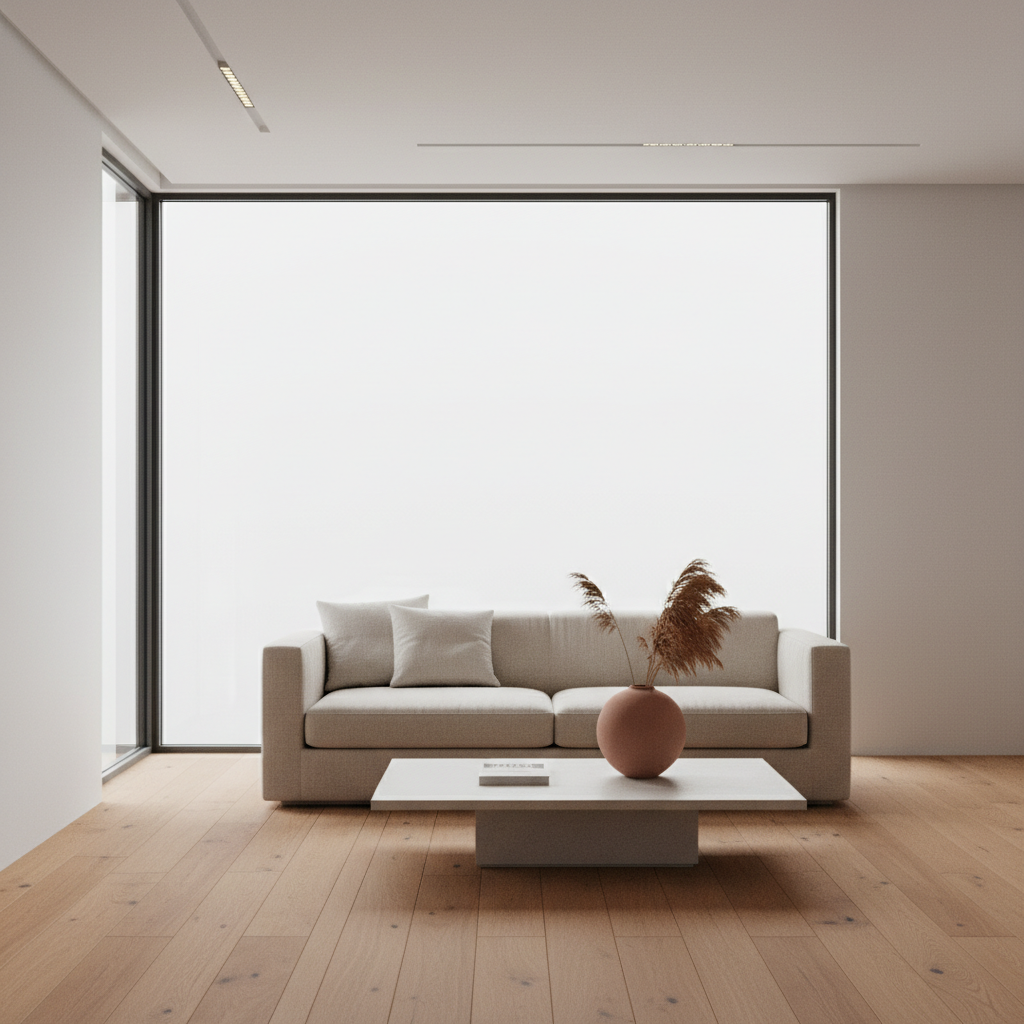
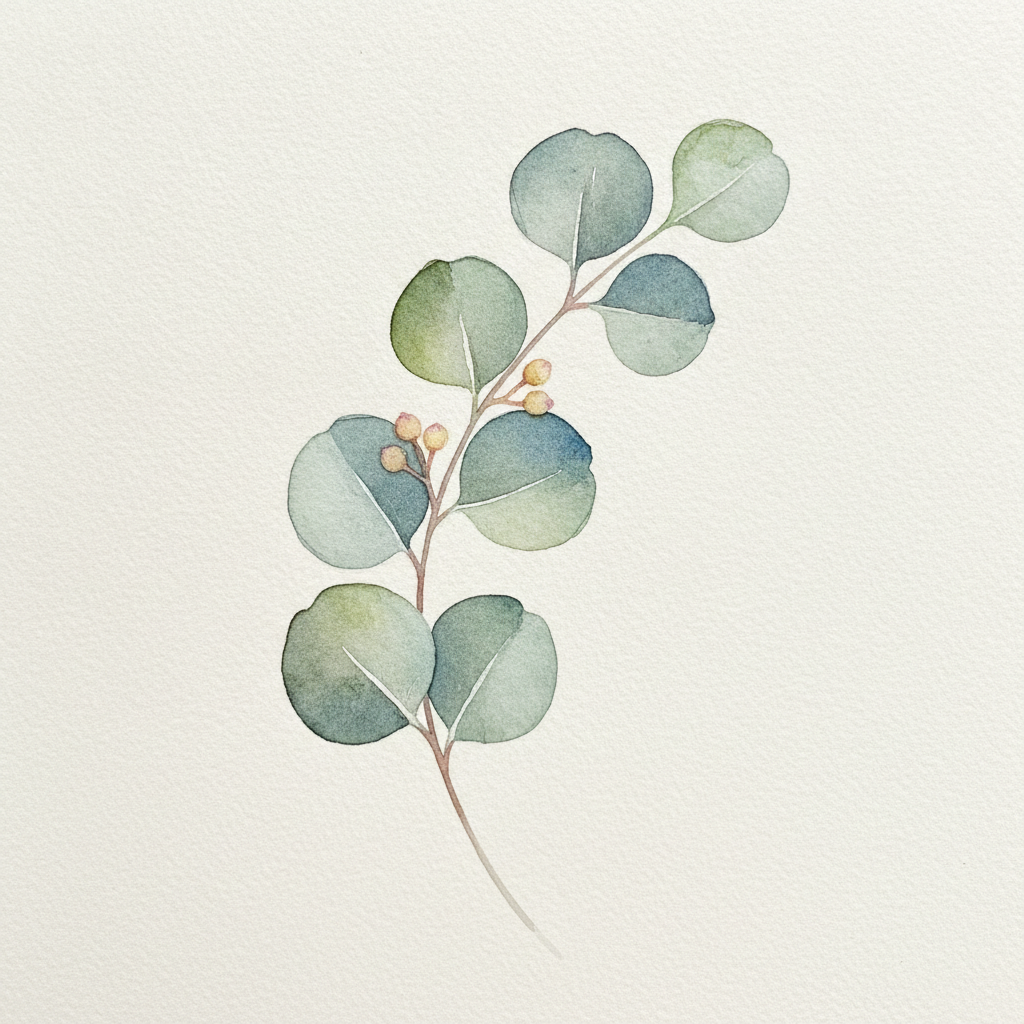
Each image below stands in for a job that traditionally needed its own tool — a studio shoot, a layered composite, a vector poster, a pattern swatch, a 3D render, a commissioned illustration. All generated with the same model that powers the tool above, unretouched.




Six Findings From Running Both Kinds of Tool
The table gives you the scoreboard. These are the six things that actually determine which tool belongs on a given job.
They are not the same operation
The comparison gets muddled because people treat these as rival products when they perform different verbs. Traditional software transforms pixels and vectors that already exist — you arrive with a photograph, a shape or a blank canvas and change it deliberately. An AI image generator synthesises pixels that never existed from a written description. Photoshop has no command that produces a photograph of a product you do not own, and no generator lets you nudge a logo four pixels left and lock it there. Almost every either-or argument about AI image generator vs traditional software dissolves once you notice one makes source material and the other controls it.
What generators actually displaced was stock
Designers who say a generator replaced Photoshop have usually, on inspection, replaced Shutterstock. The step that disappeared is the search — trawling a library for a picture that is nearly right, paying for it, and then spending an hour in an editor making it fit. A generator produces the specific image the brief describes, in the light and format you need, which stock by its nature cannot. The editor is still open afterwards. The stock tab is not, and that is where the hours and the licence fees actually went.
Control is the durable advantage of traditional tools
A layer is an object you can address. You can move it, hide it, restyle it, version it, hand it to a colleague and get precisely the same result next quarter. A generated image is an outcome — if it is wrong in one corner, your lever is to generate again, and the new attempt differs everywhere rather than in the corner you cared about. For a moodboard nobody notices. For a template with locked margins, a brand palette specified to the hex, or a client deliverable that includes the working file, that difference is the whole job and no amount of model improvement addresses it.
Text is the sharpest dividing line
Modern models render legible text far better than the garbled output people still expect, and for a background plate or a social graphic that is often enough. But rendered text is drawn, not typeset. You cannot change the wording without regenerating, cannot adjust tracking, cannot swap the typeface to the brand font, cannot reflow it when the layout changes and cannot hand over something a translator can edit. Any deliverable where the words matter — packaging, advertising, anything localised — wants real type set in real layout software, with the generated image sitting behind it.
Accessibility is the largest change in aggregate
The most underrated line in the table is skill. Traditional software has never been available at any price to someone unwilling to spend months learning layers, masks and curves, and that barrier quietly decided who got to make images at all. A generator moves the requirement to describing what you want clearly. That does not make anyone a designer — taste, composition and brand judgement are untouched — but it does mean the founder, the teacher and the small-shop owner can now produce a usable image instead of settling for whatever stock was affordable.
Generate first, finish in the editor
The workflow that keeps emerging among people who use both is a sequence, not a choice. Generate widely and cheaply to kill the blank page and find the direction — eight options before anyone commits hours. Then take the two or three that carry real weight into a traditional editor for the finishing that only it can do: real type, exact brand colours, a clean composite against an existing template, a layered file for handoff. Exploration speed from one class of tool, precision from the other, and manual hours spent only on the frames that earn them.
Where we would tell you to keep the traditional software
Do not try to replace a layout tool for anything where the words matter — packaging, advertising or anything that will be translated needs real type you can edit, not letterforms drawn into a picture. Do not expect a described image to hit an exact brand hex or sit inside a locked template margin. Do not use a generated image to depict a product a customer will compare against the item that arrives. And if the deliverable your client is paying for includes the layered working file, that job belongs in a traditional editor from the start — a prompt does not produce a document.
How to Run This Art Tools Comparison on Your Own Work
Describe the image you would have built
Start from a real brief out of your own work rather than a demo idea — the hero image you were about to search stock for, the concept you were going to mock up by hand. The comparison only means something on your own material, because difficulty varies enormously between a clean product shot and a layout with locked brand type. Plain English is the whole interface; there is nothing to install and no signup to try it.
Generate several directions at once
Pick the preset matching the job you would otherwise have opened an editor for, and run it more than once. The point is not to get one image but to see the spread — this is the step traditional software cannot match, because each additional direction there costs another full build. Judge them beside the mockup you would have produced and note how many you would have shipped unchanged.
Finish the ones that matter in an editor
Ship the results that hold as they are; for hero assets, take the winning direction into traditional software for the parts only it can do — real type on a live layer, exact brand hex values, a composite that fits an existing template, a layered file for handoff. That hybrid, rather than a winner, is what this comparison actually recommends.
What the AI Side of the Comparison Actually Gives You
Six capabilities aimed at the parts of traditional image creation that were never the interesting part of the job.
Six presets for six traditional jobs
Each preset below stands in for a task that traditionally opened a different application: a studio product shot, a multi-layer photo composite, a vector poster, a repeating surface pattern, an architectural render and a commissioned watercolour. Run them and compare the output against what the same brief would have cost you in software hours, stock fees or an illustrator invoice.
Seconds instead of an afternoon
The headline advantage is real and it compounds. A composite that takes an experienced retoucher an afternoon of masking, grading and blending arrives here in under a minute, already lit consistently because the whole frame was made at once. The honest caveat is the retry loop: when a result misses you regenerate rather than adjust, and four attempts on a stubborn brief erodes the advantage on that one image.
Variant exploration at near-zero cost
What genuinely changes is not doing the same work more cheaply but trying far more things. When a visual direction costs pennies, you test six before committing, and you produce seasonal refreshes of a campaign instead of reusing last year. Teams that adopt generation rarely spend less on images — they ship considerably more of them for the same budget.
Style consistency across a set
Freeze the style language in your description — the palette, the lighting, the medium — vary only the subject, and a whole set comes back looking like one campaign. Achieving that manually means building and disciplining a template, then applying it by hand to every asset. It is the closest a generator comes to the systematic control traditional software is prized for, though it remains a strong tendency rather than a guarantee.
No licensing, no stock subscription
Traditional workflows carry a hidden second bill: the source imagery has to be shot, bought or licensed, and stock that matches your brief is harder to find than it sounds. Generated images arrive matched to the description by construction, and paid plans include commercial rights, so the vase, the interior and the botanical illustration are all available without a library subscription or a photographer.
4K output from $2.99
A Creative Cloud subscription bills monthly whether you open it or not, and commissioned illustration bills per piece. Plans here start at $2.99 with 4K output and commercial rights included, and trial credits let you run the comparison on three or four real briefs from your own work before deciding anything. That test is worth more than any article, this one included.
Who Runs This Comparison, and What They Conclude
Four groups with genuinely different answers, because the right split between tools depends on what the image has to survive.
Designers already fluent in traditional software
If you own the skills, the useful question is not which tool is better but which stage of your process the generator belongs in. For most designers it slots in before the editor opens, replacing the stock search and the first round of manual mockups, and leaves the finishing work untouched. Run both on twenty briefs from a recent project and let the count of results you would have shipped unchanged decide the split.
Founders and small teams with no designer
This is where the comparison is least close. The realistic alternative to a generator here was never Photoshop — it was whatever free stock photo was tolerable, or nothing at all. A description-driven tool puts a usable, on-brief image within reach of someone who has never opened a layers panel, at a price well below both a subscription and a freelance invoice.
Marketing and content teams at volume
Campaign work needs the same idea across a dozen formats and seasons, and no single variant justifies a designer. Generation handles the long tail while traditional software stays for the flagship assets where brand precision is audited. Lock exact palettes and set real type in a layout tool afterwards whenever the guidelines demand it.
Agencies and studios pitching concepts
The pitch stage is pure exploration, which is exactly where per-direction cost decides how many ideas a client sees. Generating eight directions during a kickoff call converts weeks of moodboarding into a conversation, and it protects billable production hours by aiming them only at the direction the client has already chosen.
Want a Narrower Comparison?
This page treats traditional software as a category. If you have one application in mind, the comparison against Adobe Photoshop goes deeper on that specific workflow, and there is a separate look at AI image tools versus GIMP if free software is your baseline. For the broader question about craft rather than tooling, see AI art vs traditional art. And if you have finished comparing and simply want to get on with it, the AI image generator is the dedicated page for the job.
AI Image Generator vs Traditional Software — Common Questions
They perform different operations, which is why the comparison confuses people. Traditional software — Photoshop, Illustrator, GIMP, Affinity, Canva — manipulates pixels or vectors that already exist. You bring a photograph, a shape or a blank canvas and you change it, deliberately, one decision at a time. An AI image generator synthesises pixels that never existed from a written description. Nothing in Photoshop produces a photograph of a product you do not own, and nothing in a generator lets you move a logo four pixels left and lock it there. Once you see them as producing source material versus controlling it, most of the either-or arguments about AI image generator vs traditional software stop making sense. The practical question is not which tool is better, but which half of your workflow each one belongs in.
Settle It on Your Own Brief
Free trial credits, no credit card, no signup wall. Describe an image you were about to build by hand and see how close twenty seconds gets to your afternoon.
Start Creating FreeUnderstanding AI Image Generator vs Traditional Software
For three decades, making a digital image meant acquiring one first. You photographed it, licensed it from a stock library, or drew it — and only then opened traditional software to cut it out, correct it, composite it and lay it out. Photoshop, Illustrator, GIMP, Affinity and Canva are all, at bottom, instruments for transforming material that already exists. That is not a criticism; it is the definition of the category, and it is why the debate around AI image generator vs traditional software so often talks past itself. A generator does not do a better version of what those applications do. It removes the acquisition step entirely, producing the source image from a written description in the time it takes to read this sentence.
Seen that way, the wins line up predictably. The generator takes everything that depends on getting an image into existence: speed to a first usable visual, the cost of exploring eight directions instead of one, the disappearance of the stock search and its licence fees, and an accessibility change that matters more in aggregate than any feature. Traditional software has never been available at any price to someone unwilling to spend months learning layers, masks and curves, and that barrier quietly decided who got to make images at all. Describing what you want in plain English does not confer taste or composition, but it does put a usable, on-brief image within reach of a founder, a teacher or a small-shop owner who previously settled for whatever stock was affordable.
Traditional software keeps five advantages that no amount of model improvement will erode, because they are structural rather than qualitative. Pixel-exact control, since a sentence is not a coordinate and brand work often lives or dies on a locked margin. Real type, because a generator draws letterforms into a picture while layout software sets words you can re-kern, restyle, reflow and hand to a translator. Single-element revision, because adjusting one layer leaves everything else identical whereas regenerating changes the whole frame. Layered deliverable files, which are frequently the actual contract rather than a convenience. And fidelity to a real subject — a photograph of your product is your product, while a generated one is a convincing approximation that may have quietly restated a texture, which becomes a returns problem on any listing a customer checks against what arrives.
Which is why the useful conclusion to this art tools comparison is a sequence rather than a winner. Generate first, widely and cheaply, to kill the blank page, replace the stock search and find the direction before anyone commits billable hours. Then take the two or three images that carry real weight into traditional software and finish them properly — real type on a live layer, exact brand values, a composite that fits the template, a layered file for handoff — spending manual hours only where they change the outcome. Most designers who describe themselves as having found a Photoshop alternative have, on inspection, found a Shutterstock alternative and kept the editor. The generator on this page is free to try with no signup so you can measure that split on your own image editing work, renders in seconds, and offers 4K output with commercial rights on plans from $2.99. Run it against a brief you have already built by hand; that single test will tell you more about where each tool belongs in your pipeline than any comparison table, including the one above.