
AI Background Replacement vs Traditional Methods
The pen tool, the clipping path, the channel mask and the green screen against a described sentence. This page sets AI background replacement vs traditional methods on ten dimensions that matter in real photo editing work — speed, edge quality, transparency, product fidelity, cost and repeatability — and is honest about the four where the manual approach still wins. The tool is on the page, so you can run the comparison on your own image rather than take our word for it.
The short answer, before the detail
AI background replacement wins decisively on speed, on cost across volume, on exploring background variants and on the accessibility of the whole technique. Traditional methods still win on transparency, on pixel-exact brand compositing, on guaranteed product fidelity and on producing a layered file that another person can reopen and edit. Nearly every studio that has genuinely run both has stopped choosing: generate to explore and to clear the long tail, finish the frames that matter by hand. The rest of this page is why.
Try It Now — Free
Upload the photo you would otherwise have masked by hand and pick the background the brief calls for. Six presets, each standing in for a job that traditionally needed a different technique.
AI Background Replacement — Run the Comparison
Upload a product photo or portrait, choose a new background, and see in seconds what a manual clipping path would have taken minutes to produce
Upload your photo, choose a background style, and click Generate
AI Background Replacement vs Traditional Methods, Dimension by Dimension
Ten dimensions, four of which the manual approach still takes. A comparison that only lists wins for one side is a sales page, not a comparison.
| Dimension | AI Background Replacement | Traditional Methods |
|---|---|---|
| Time per image | 5–20 seconds, background included | 5–60 minutes depending on edge complexity |
| Skill required | Describe the background you want | Pen tool, channel masking, edge refinement, compositing |
| Hair, fur and soft edges | Handles flyaways well; occasional soft halo | Best possible result, at roughly an hour per frame |
| Glass, liquid and transparency | Inconsistent — the model invents what shows through | Reliable, because the real pixels carry across |
| Pixel-exact brand colour or template | Approximate — a description is not a hex value | Exact, by definition |
| Product fidelity for listings | Can subtly restate texture; needs a visual check | Original pixels survive untouched |
| Exploring many background directions | Eight variants in the time one composite takes | Each variant is a fresh manual composite |
| Cost across a 200-image catalogue | From $2.99 for a plan, commercial rights included | Per-image outsourcing fees or in-house retouching hours |
| Repeatability and version control | Regenerate, never adjust — results are not reproducible | Saved paths and layered files, reopenable by anyone |
| Sourcing the new background | Generated with the composite, no licensing needed | Shoot it, buy it, or license it separately |
Timings reflect an experienced retoucher working on typical commercial product and portrait frames. Your own numbers will vary with edge difficulty, and the only figures that should inform a decision are the ones you measure on your own images.
Six Background Change Jobs, Six Traditional Techniques Replaced
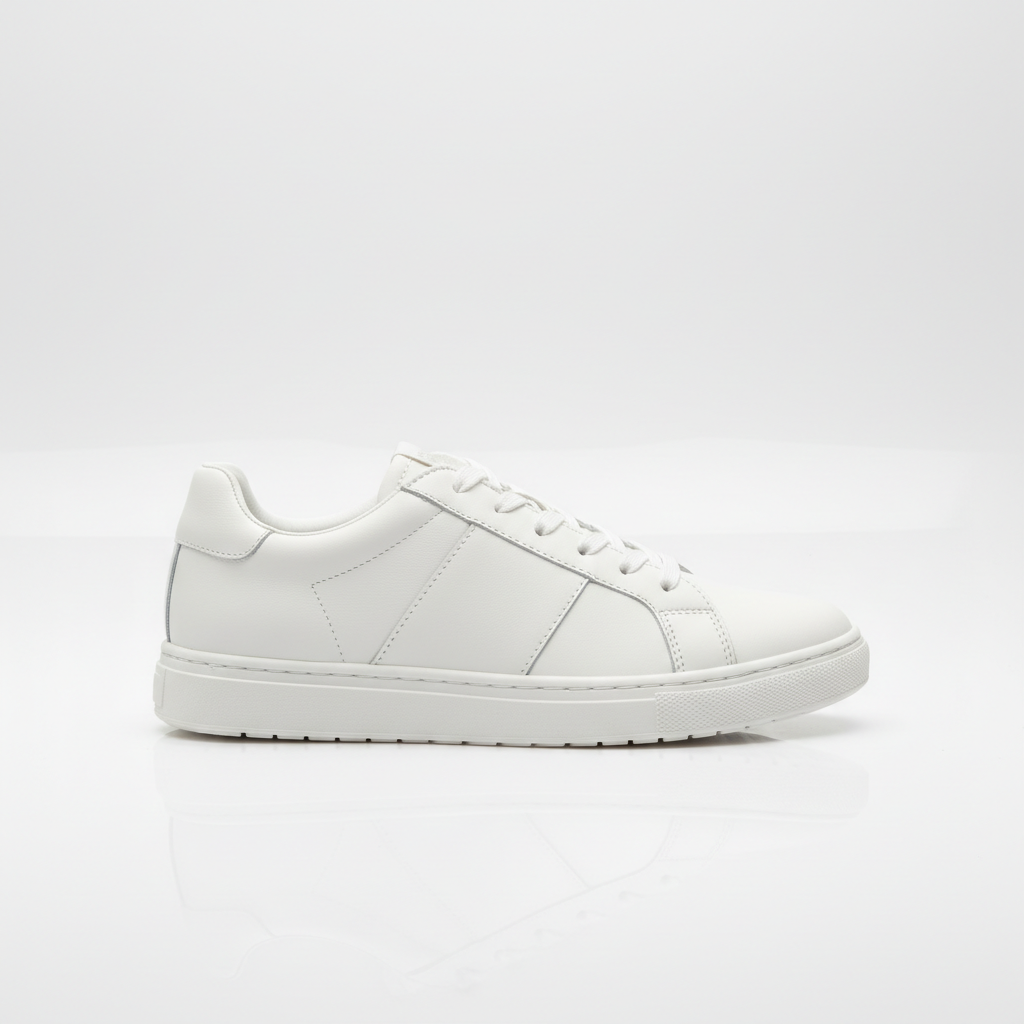
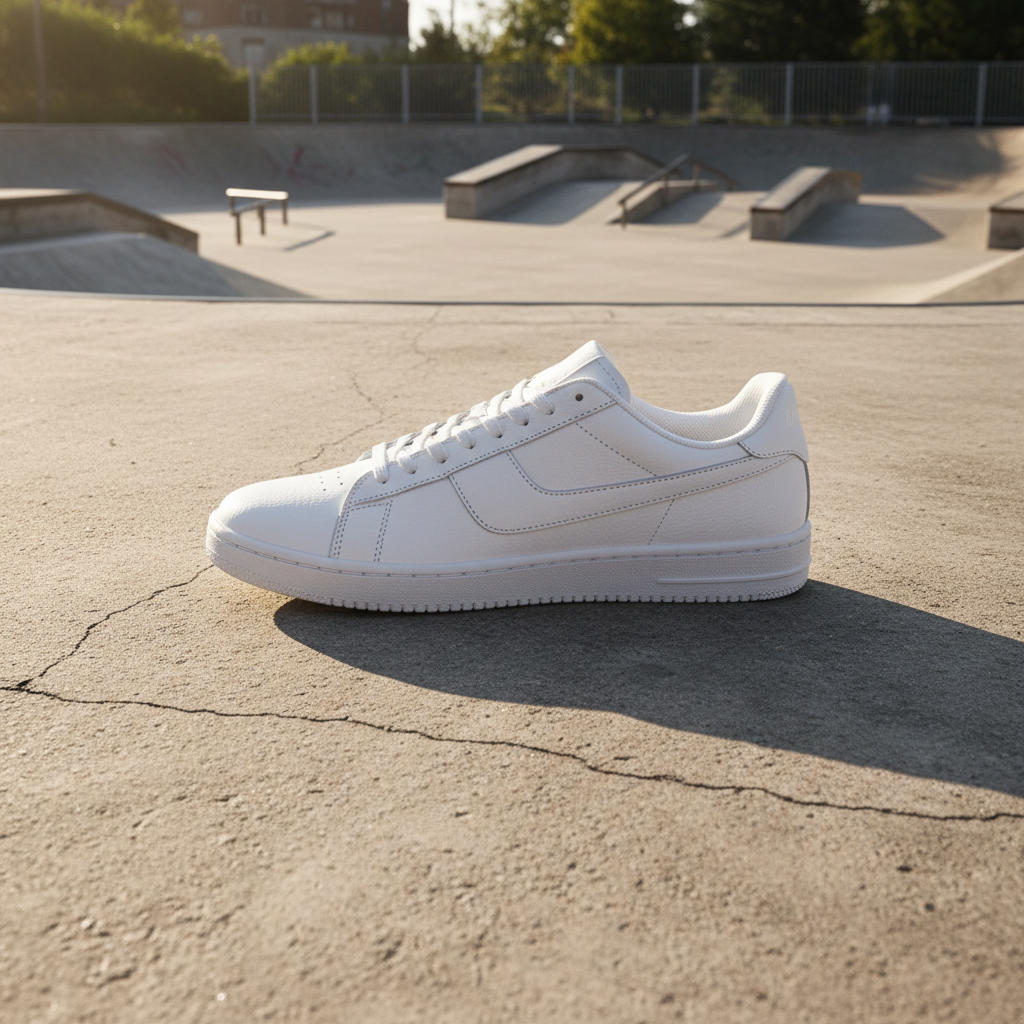
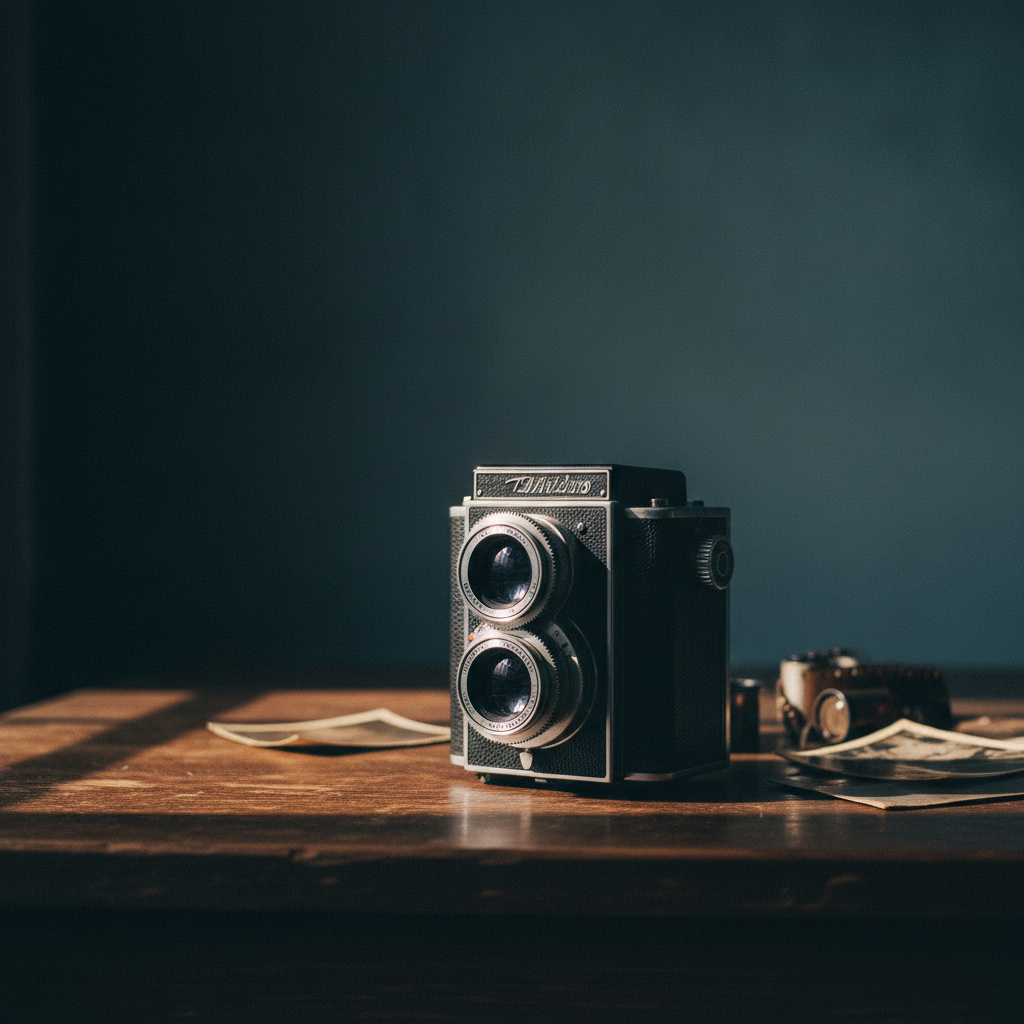
Each image below stands in for a task that used to need its own method — a clipping path, a green-screen key, a location shoot, a set dressing. All generated with the same model that powers the tool above, unretouched.



Six Findings From Running Both Methods
The table gives you the scoreboard. These are the six things that actually determine which method belongs on a given frame.
Speed is the headline, and it is real
A careful clipping path around a moderately complex product runs five to twenty minutes for an experienced retoucher, and hair or fur pushes that toward an hour once channel masking is involved. AI background replacement returns a finished composite in seconds, with the new scene already generated and colour-matched rather than sourced separately. The caveat worth stating plainly is the retry loop: when a result misses you regenerate rather than adjust, and four regenerations on a stubborn frame can erase the advantage on that one image. The speed argument compounds across volume and shrinks to nothing on a single hero shot.
Control is what traditional methods still sell
A pen-tool path is a mathematical object. You can nudge a single anchor point, save it, version it, reopen it next quarter and hand it to a colleague who will get precisely the same result. An AI mask is an outcome — if it is wrong by three pixels along one edge, your only lever is to generate again and hope. For most marketing work nobody will ever notice the difference. For a template with locked margins, a licensed background that must be that exact image, or a deliverable that includes the layered file, that difference is the entire job.
The hair argument has quietly flipped
Hair against a busy background was for years the definitive case for manual channel masking, and most comparison articles still say so. It is now out of date. Modern models handle flyaway strands, fur and soft-focus edges well enough that the gap has closed for ordinary commercial use, and they do it without the grey halo a rushed manual mask leaves behind. A skilled retoucher with an unhurried hour still produces the better result. The honest question is whether your project can buy that hour for every frame, and for most catalogues the answer is no.
Transparency is where AI still loses
Glass, liquid in a bottle, smoke, tulle, mesh and anything where the new background should be visible through the subject remain the genuine weak point. The reason is structural rather than a matter of model quality: manual compositing carries the real pixels across, while generation has to invent what shows through and has no ground truth to invent from. Expect several regenerations, inspect the result at full size, and for anything where the see-through detail is the selling point, composite it by hand.
Product fidelity deserves a deliberate check
Generative compositing touches the whole frame, not only the region behind the subject, which means a texture can be subtly restated or a specular highlight moved. On a lifestyle banner that is harmless. On a marketplace listing where a customer will compare the photo to the item that arrives, it is a returns problem and in some categories a compliance one. Verify silhouette, colour and surface texture before any generated image goes near a product page, and keep manual paths for jewellery, watches, textiles and cosmetics.
The hybrid workflow beats either purist position
Most studios that have run both have landed in the same place. Generate first to explore — eight background directions in the time one manual composite takes — and find out what the product actually looks good against before anyone spends retouching hours. Then take the two or three that survive into a traditional editor for the finish: a manual mask where the edge is soft, the exact brand hex behind it, type on a real layer, margins locked. Exploration speed from one method, precision from the other, manual hours spent only on frames that earn them.
Where we would tell you to keep the pen tool
Do not run this on jewellery, watches, textiles or cosmetics destined for a listing without checking the product pixel for pixel afterwards, because generative compositing can restate a texture or move a highlight and a customer comparing the photo to the item will notice. Do not use it where the background must be a specific licensed image or an exact brand hex. Do not expect it to solve glass, liquid or mesh. And if your client's deliverable includes the layered file, a described background cannot produce one — that job belongs to a traditional editor from the start.
How to Run the Comparison on Your Own Photo Editing Work
Upload the photo you would have masked
Start with a real frame from your own work rather than a demo image — the product you actually sell, shot in the light you actually shoot in. The comparison only means anything on your own material, because edge difficulty varies enormously between a rigid matte product and a backlit glass bottle. Any common image format works, and the subject does not need to have been shot against a green screen or a clean backdrop first.
Pick the background the brief calls for
Choose the preset matching the job you would otherwise have done by hand — white studio for a marketplace listing, lifestyle for a social set, outdoor for the location shoot you did not budget for. Each preset already carries the lighting, shadow and depth-of-field language that makes a composite read as one photograph rather than two, so you are describing the scene rather than engineering the blend.
Compare, then finish where it matters
Generate several directions and put them beside the manual version you would have produced. Judge the edge at full size, check the product itself is unchanged, and ship the ones that hold. For hero images, brand-exact templates or anything with transparency, take the winning direction into a traditional editor and finish it there — that hybrid is the workflow this comparison actually recommends.
What the AI Side of the Comparison Actually Gives You
Six capabilities aimed squarely at the parts of traditional background change work that were never the interesting part of the job.
Six presets for the six usual jobs
Each preset maps onto a task that traditionally required a different technique: the white-studio clipping path, the green-screen location swap, the lifestyle set dressing, the gradient catalogue backdrop, the moody editorial crop and the on-location shot nobody had the budget to fly to. Upload once, try all six, and compare them against what the same brief would have cost you in manual hours.
Lighting matched to the new scene
The step manual compositing most often gets visibly wrong is relighting — a subject cut from flat studio light and dropped onto a golden-hour beach reads as a sticker until someone spends twenty minutes grading it. Generation handles the colour cast, the direction of the key light and the contact shadow as part of the same operation, which is why AI composites often look more integrated than a fast manual one even when the mask itself is less precise.
Variant exploration without the per-variant cost
The economics that actually change here are not the cost of doing the same work cheaper — they are the cost of trying more things. When a background variant is free, you test marble against oak against concrete before committing, and you generate seasonal refreshes of a catalogue rather than reshooting it. Teams that adopt this rarely spend less; they ship more variants for the same money.
Batch-friendly for catalogue work
Volume is where the comparison stops being close. A two-hundred-item catalogue that needs consistent white backdrops is a week of retouching or a substantial outsourcing invoice, and it is an afternoon of generation with a spot check on every frame. Keep the spot check — it is the part of the traditional workflow that still earns its place — but the masking labour genuinely does not need a person any more.
No background sourcing or licensing
Traditional compositing has a hidden second cost: the background itself has to be shot, bought or licensed, and stock that matches your lighting is harder to find than it sounds. Generated backgrounds arrive with the composite, matched to the subject by construction, and paid plans include commercial rights — so the marble counter, the concrete wall and the tropical beach are all available without a stock subscription or a location fee.
4K output from $2.99
Outsourced clipping paths price per image and bill overnight; in-house retouching costs whatever an hour of your designer is worth. Plans here start at $2.99 with 4K output and commercial rights included, and trial credits let you run your own comparison on three or four real images from your own catalogue before deciding anything. That test is worth more than any article, including this one.
Who Runs This Comparison, and What They Conclude
Four groups with genuinely different answers, because the right split between methods depends on what the image has to survive.
E-commerce and marketplace listings
Clean white backdrops with a soft contact shadow are the job AI background replacement does most reliably, and they are also the highest-volume manual masking task in most catalogues. The sensible split is generation for the long tail and manual paths for hero images and for categories — jewellery, watches, textiles — where a customer will hold the product next to the photo and judge you on the difference.
Product photographers and studios
Studios use the comparison in front of clients rather than instead of them: generate eight background directions during the shoot, let the client choose while the set is still up, then deliver the chosen direction as a properly retouched composite. It converts a week of back-and-forth over stock backgrounds into a ten-minute conversation, and it protects the billable retouching hours by aiming them at frames the client has already approved.
Marketing and social teams
Campaign work needs the same asset against a dozen backgrounds across formats and seasons, and none of those variants individually justifies a retoucher. This is the clearest win in the whole comparison: the variants are near-free, the turnaround is minutes, and the precision that traditional methods buy is not what a social crop is judged on. Lock brand-exact colours in a layout tool afterwards if the guidelines demand them.
Designers evaluating the switch
If you already own the pen tool skills, the useful question is not which method is better but which frames still deserve your hours. Run both on twenty images from a recent project, count how many generated results you would have shipped unchanged, and let that number decide the split. Most designers find it lands somewhere around three-quarters generated and one-quarter finished by hand — and that the remaining quarter is where their time was always worth most.
Past the Comparison Already?
This page exists to help you choose a method. If you have chosen and simply want to get on with it, the AI background replacement tool is the dedicated page for the job. If you only need the subject cut out with nothing behind it, the AI background remover is a shorter route, and for a new scene built from scratch rather than swapped in, try the AI background generator.
AI Background Replacement vs Traditional Methods — Common Questions
The difference is where the selection comes from. Traditional methods ask a person to define the boundary between subject and background by hand — a pen-tool path around a handbag, a refined layer mask on hair, a chroma key pulled from a green screen you had to light correctly in the first place. AI background replacement infers that boundary from the picture itself, then generates a new scene behind it and relights the composite so the edge reads as plausible. Practically, that turns a fifteen-minute manual job into a fifteen-second one, and turns a skill you had to learn into a sentence you type. What it does not do is give you the control a path gives you. A pen-tool path is a mathematical object you can nudge a single point on; an AI mask is a result you can only regenerate. That trade — speed and accessibility against precision and repeatability — is the whole comparison, and which side wins depends entirely on the job.
Settle It on Your Own Image
Free trial credits, no credit card, no signup wall. Upload a frame you have already masked by hand and see how close fifteen seconds gets to your fifteen minutes.
Start Creating FreeUnderstanding AI Background Replacement vs Traditional Methods
For most of the history of digital photo editing, changing what sits behind a subject meant defining the boundary yourself. You drew a pen-tool path around a handbag, pulled a channel mask for hair, lit a green screen carefully enough to key cleanly, and then spent as long again grading the subject so it belonged in its new scene. Those traditional methods were never difficult to understand — they were simply slow, and the skill took years to acquire. The question behind AI background replacement vs traditional methods is not whether a model can draw a better selection than a retoucher. It is which of the two costs you less on a given frame, once you have priced in the hours, the retries and the risk.
On speed and on cost across volume the answer is not close. A composite arrives in seconds with its background already generated and colour-matched, where the manual route needs minutes of masking plus a background that has to be shot, bought or licensed and then made to match. Across a catalogue that difference is a week of retouching against an afternoon of generation. The comparison also exposes something less obvious about the economics: when a background variant costs nothing, the useful change is not doing the same work more cheaply but trying eight directions where you previously committed to one. Teams that adopt AI background replacement rarely reduce their image budget — they ship considerably more variants for it.
Traditional methods keep four advantages worth taking seriously. Transparency is the clearest: glass, liquid, smoke and mesh need the real pixels carried across, and generation has to invent what shows through with nothing to invent from. Pixel-exact work is the second — a description is not a hex value, and a template with locked margins wants a mask and a layer. Product fidelity is the third, because generative compositing touches the whole frame and can quietly restate a texture, which is a returns problem on any listing where a customer compares the photo to what arrives. The fourth is the layered file itself: a saved path can be reopened, versioned and handed to a colleague, and a prompt result cannot be reproduced exactly even by the person who made it. Notably, hair is no longer on this list — that argument, which still dominates older articles on the subject, has closed for ordinary commercial work.
Which is why the sensible conclusion to this comparison is a split rather than a winner. Generate first, widely and cheaply, to discover what the subject actually looks good against and to clear the long tail of catalogue frames nobody was ever going to fund manually. Then take the two or three images that carry real weight — the hero shot, the brand-template banner, the glass bottle — into a traditional editor and finish them properly, spending manual hours only where they change the outcome. The tool on this page is free to try with no signup so you can measure that split on your own photo editing work, renders in seconds, and offers 4K output with commercial rights on plans from $2.99. Run it against a frame you have already masked by hand; that single test will tell you more about background change in your own pipeline than any comparison table, including the one above.