
Leonardo AI vs AI Banana
Which One Fits Your Work?
These two tools are not really competing on quality — they are competing on philosophy. Leonardo AI is a full creative suite with custom model training, a real-time canvas and in-app video, all running on a monthly token balance. AI Banana is deliberately narrow: one strong model, no login, no token accounting, and a 4K-class image in about fifteen seconds. This Leonardo AI vs AI Banana comparison lays out nine factors honestly — including where Leonardo clearly wins — and puts a working generator on the page so you can judge the image quality yourself.
Test AI Banana Yourself — Free
Reading a Leonardo AI vs AI Banana comparison only gets you so far. Pick a category below or write your own prompt — ideally one from real work rather than a showcase idea — and see what comes back in about fifteen seconds. No account, no install.
AI Image Generator — Nano Banana Pro
Choose a category or describe your own image, and Nano Banana Pro renders it at 4K-class resolution in seconds. No account, no install, no token balance to manage.
What AI Banana Produces
Typography, portraits, character sheets, concept art and product shots — every image below came from a single text prompt
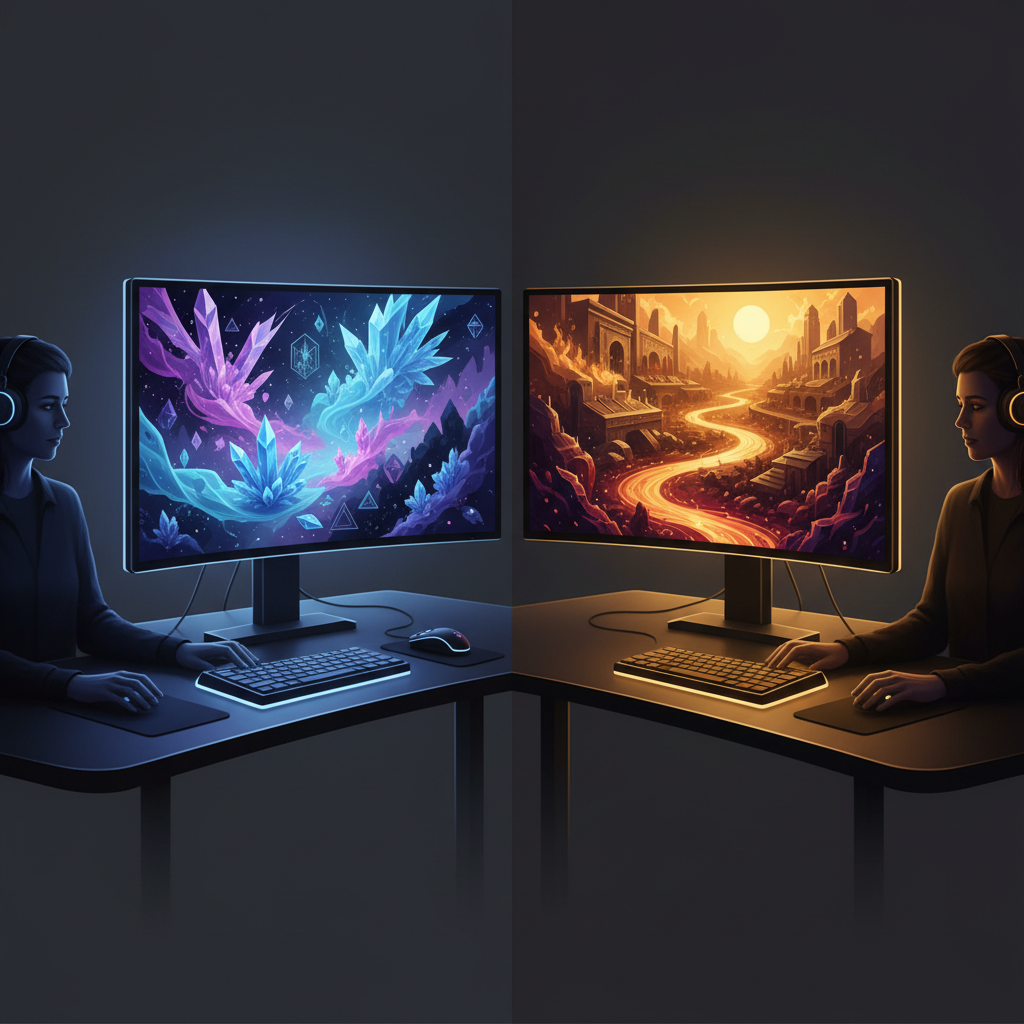
Suite vs Focused Tool
The Core Distinction

Legible In-Image Text
Typography Rendering
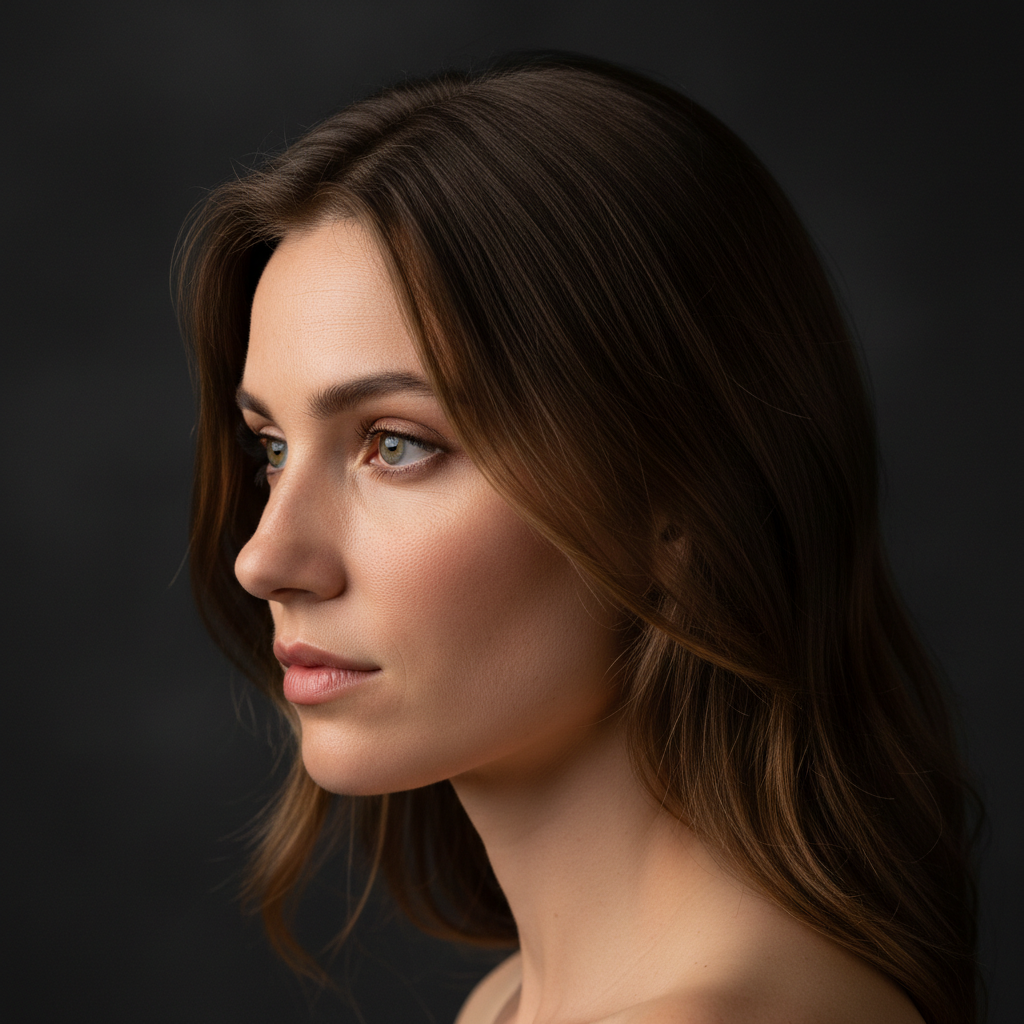
Photoreal Portrait
Prompt to 4K
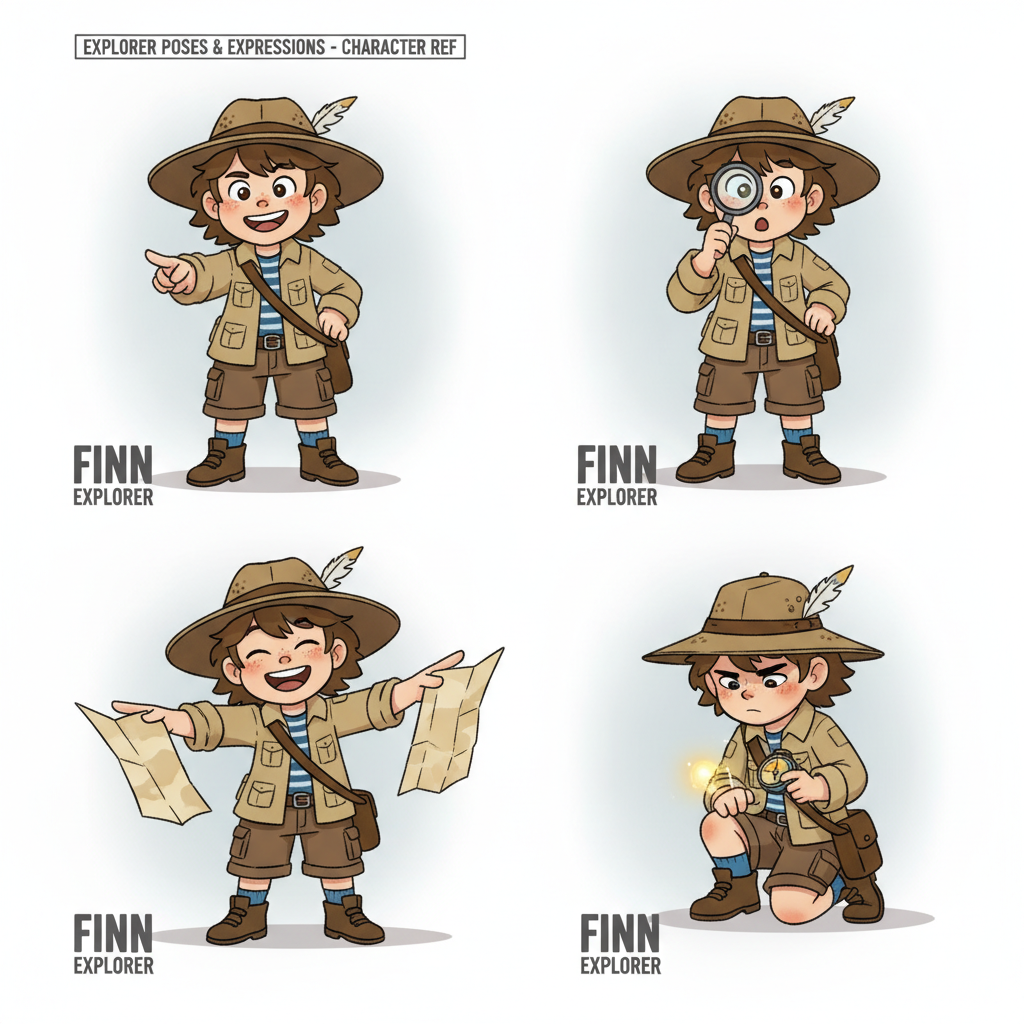
Consistency Across a Set
Character Sheet
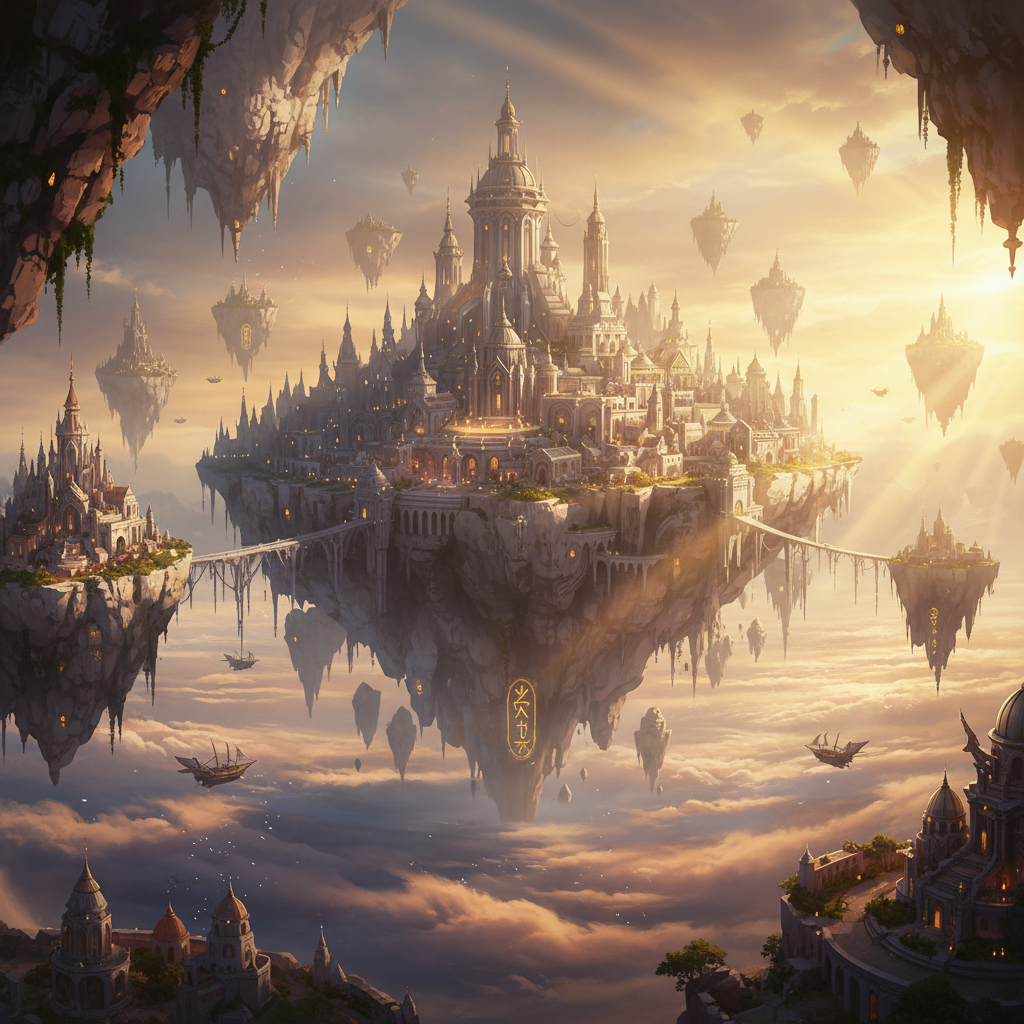
Concept Art at 4K
Creative Range

Commercial Product Shot
E-Commerce Ready
Leonardo AI vs AI Banana — Side by Side
Nine factors that decide which tool belongs in your workflow
| Factor | Leonardo AI | AI Banana (This Page) |
|---|---|---|
| What it is | A full creative suite — model library, custom training, canvas editor, inpainting and image-to-video Motion models. | A focused text-to-image generator. One strong model, style presets, and a finished file in about fifteen seconds. |
| Pricing structure | Subscription-first with a monthly token balance. Published tiers run roughly $12, $30 and $60 per month, with a discount for annual billing. | Free to try with no card. Paid access from $2.99 with no ongoing subscription commitment and no token arithmetic. |
| Getting started | Create an account, pick from a large model library, learn what each token costs. Powerful once learned, slower on day one. | Nothing to install and no login needed to generate. Pick a preset or type a prompt on this page and go. |
| Text inside the image | Depends heavily on the model you pick from the library. Typography is not the platform’s headline strength. | Tuned specifically for clean, correctly spelled typography inside the artwork — posters, ads, thumbnails, price badges. |
| Custom model training | A genuine strength. Train a model on your own images and reuse a signature house style across every generation. | Not offered. You steer style through presets and prompt wording rather than a trained checkpoint. |
| Editing and canvas tools | Real-time canvas, inpainting and outpainting for painting over and refining specific regions of an image. | Generation-focused. Take the 4K file into your own editor for retouching and finishing. |
| Video | Motion models animate a still into a short clip inside the same platform. | Images only. This is an image generation platform, not a video one. |
| Output resolution | Varies by model and upscaler tier — good results available, but the path there is a choice you have to make. | 4K-class output by default, built for cropping, large-format printing and client delivery. |
| Commercial rights | Granted on paid tiers. Free-tier output is generally restricted to non-commercial use. | Watermark-free downloads and full commercial usage rights spelled out on paid plans from $2.99. |
The verdict on Leonardo AI vs AI Banana: Leonardo wins outright on breadth. Custom model training, a community model library, canvas editing with inpainting and in-app image-to-video are real capabilities that AI Banana simply does not have, and if any of them is a requirement then the choice is already made. AI Banana wins on everything that shortens the distance between a prompt and a finished file — no login, no token budget, legible in-image typography, 4K-class output by default and $2.99 to unlock instead of a monthly suite subscription. Pick the suite if you are building a long-running style. Pick the focused tool if you need the image today.
Leonardo AI plan names, token allowances and prices described on this page reflect publicly published information as of August 2026 and are summarised for comparison only. Check leonardo.ai for current pricing and licence terms before purchasing.
How to Decide in Ten Minutes
The fastest way to settle the comparison without reading another review
Bring a Real Prompt
Use something from actual work rather than a showcase idea — the poster you owe a client, the character you need eight views of, the product shot for a listing. Showcase prompts flatter every tool equally, which is exactly why they tell you nothing useful about either one.
Run It Here First
Paste it into the generator above, or start from one of the six presets. It costs nothing and needs no account, so this half of the test is free. Note how many seconds it took and whether any text in the image came out spelled correctly.
Ask One Question
Do you need a trained house style, canvas editing or video? If yes, Leonardo AI earns its subscription and the learning curve. If no, you are paying a suite price for a generator, and $2.99 here buys unlimited high-resolution output with commercial rights.
Where AI Banana Pulls Ahead of Leonardo AI
Six differences that decide whether an image stays a demo or becomes a deliverable
No Token Budget to Manage
The most underrated difference in the Leonardo AI vs AI Banana comparison is cognitive rather than technical. On a token economy every generation is a small spending decision — you learn what each model costs, you ration the expensive ones near the end of the billing month, and you hesitate before running the tenth variation. That hesitation is exactly the wrong instinct for creative work, which is a volume problem before it is a craft problem. Generating without counting changes how you work: you run ten versions because ten versions is what it takes to find the right one, not because you budgeted for ten.
Typography That Survives the Render
Garbled lettering has been the signature failure of AI text-to-image for years, and it is the fastest way to tell a demo image from a deliverable. A poster with a misspelled headline is worthless no matter how strong the composition is. Nano Banana Pro was tuned specifically for in-image text, so headlines, product names, price badges and calls to action come out legible and correctly kerned. If your output is marketing creative rather than gallery art, this single capability will decide the comparison for you faster than any feature list — so test it with your own headline before anything else.
Fifteen Seconds, No Setup
A creative suite asks you to learn it before it rewards you: choose a base model, understand the fine-tunes, set the guidance and sampler, then generate. That investment pays off for people who live in the tool daily. For everyone else the friction is the product. The generator on this page loads with six presets ready, needs no account, email or card, and returns a 4K-class image in roughly fifteen seconds. Switch one preset, regenerate, compare side by side. Exploring twenty compositions becomes an afternoon rather than a week of learning an interface first.
Consistency Across a Whole Set
Producing one good image is easy almost anywhere now. Producing eight images of the same character, product or brand world is where AI art tools separate. Campaigns, storyboards, product catalogues and children’s books all need a subject that stays recognisably itself from frame to frame. Leonardo AI solves this with trained custom models, which is the more powerful route if you will reuse that style for months. AI Banana solves it with explicit style presets and reference handling, which is faster when the set is a one-off job and training a checkpoint would cost more time than the whole project.
4K-Class Files, Not Previews
An image is only useful where it lands. Plenty of AI image generation looks perfectly good in a browser tab and collapses the moment you crop in, enlarge it or send it to a printer. On a suite with tiered upscalers, reaching print-ready resolution is an extra step and often an extra token cost. This generator targets 4K-class output by default, so results stand up to poster prints, book and album covers, game backdrops, large-format signage and client hand-off. Combined with watermark-free downloads on paid plans, what comes back is a deliverable rather than a preview you still have to recreate.
A Smaller Commitment to Find Out
Evaluating creative software is mostly a question of how much it costs to be wrong. A monthly suite subscription is a reasonable bet if you already know you need custom model training, a canvas editor and in-app video. If you are not sure yet, it is an expensive way to find out. Starting free on this page costs nothing and asks for no card — free usage is protected by per-IP rate limits rather than ads or a login wall. Paid plans begin at $2.99 for unlimited high-resolution generations with full commercial rights, and nothing renews unless you choose it.
Who Should Pick Which
Four common situations, and the honest recommendation for each
Digital Artists Building a Signature Style
Choose Leonardo AI. If you intend to reuse one consistent aesthetic across months of work, training a custom model on your own images is the strongest tool either platform offers, and the canvas with inpainting lets you finish pieces without exporting. The token accounting and the learning curve are a fair price for that. Use the generator here as a fast scratchpad when you need a composition immediately, not as a replacement.
Marketers & Content Teams
Choose AI Banana. Marketing output is mostly words on artwork — poster headlines, ad copy, thumbnail titles, price badges — and in-image typography is the capability this generator was specifically tuned for. Add 4K-class files, watermark-free commercial downloads and a fifteen-second turnaround per variation, and a brief-to-creative cycle that used to run days compresses into an afternoon without anyone learning a suite.
Art Students & Tight Budgets
Start with AI Banana, and be honest about how much you will actually use. Free-tier suite output is typically non-commercial, so student work you might want to sell later is restricted anyway. Generating here costs nothing to evaluate with no card, and $2.99 for unlimited high-resolution output with commercial rights is an easier line item than a monthly subscription you may not open every week.
Tech Enthusiasts & Reviewers
Run both, but compare like for like. Benchmarking a full creative suite against a single-model generator on feature count guarantees the suite wins and tells you nothing. The interesting tests are narrower: give both the same prompt containing a specific headline and check the spelling, then time how long each takes from landing page to first usable file. Those two numbers explain most real-world switching between these platforms.
Leonardo AI vs AI Banana — FAQ
Pricing, text rendering, custom models and commercial rights
Settle the Comparison Yourself
Describe one image you actually need — a poster with a headline, a product shot, a character sheet. The generator is free to try, loaded on this page, and needs no account and no install. Fifteen seconds is enough to know which side of the Leonardo AI vs AI Banana question your work falls on.
Start Creating FreeLeonardo AI vs AI Banana: The Comparison Explained
Most Leonardo AI vs AI Banana write-ups try to settle the question on image quality, and that is the least useful axis available. Both platforms produce output that is more than good enough for professional use, and the gap between two strong models is far smaller than the gap between two workflows. The real comparison is architectural. Leonardo AI is a creative suite: a large library of base and community fine-tuned models, custom model training on your own images, a real-time canvas with inpainting and outpainting, and Motion models that animate a still into a short clip — all metered through a monthly token balance. AI Banana is a single-purpose generator built around Nano Banana Pro, with style presets instead of a model library and a 4K-class file in roughly fifteen seconds instead of a workspace to learn.
Framed that way, the trade-off becomes concrete rather than a matter of taste. Leonardo AI wins wherever the value comes from breadth and reuse. If you will apply one consistent aesthetic across months of work, a trained custom model is the most powerful thing either platform offers and nothing in this AI art comparison substitutes for it. If you finish images by painting over regions, the canvas tools remove an export step. If you need short video from a still without leaving the tab, only one of these two platforms does it at all. Those are genuine advantages and any comparison that buries them is selling rather than informing.
AI Banana wins wherever the value comes from shortening the distance between an idea and a finished file. There is no account, email or card needed to generate — free usage is protected with per-IP rate limits rather than ads or a login wall — and there is no token balance to ration, which quietly changes behaviour: you run the tenth variation because ten is what the work needs, not because you budgeted for it. Output targets 4K-class resolution by default, so files survive cropping, poster printing and client hand-off without an upscaler decision. Most importantly for commercial work, Nano Banana Pro was tuned specifically for in-image typography, so headlines, product names and price badges come out legible and correctly kerned instead of garbled — historically the failure that separates a demo image from a deliverable.
Whether you arrived searching for a Leonardo AI alternative, a broader AI art comparison, a survey of image generation platforms or simply the right creative AI tools for a project starting this week, the practical recommendation is the same: answer one question before you compare feature lists. Do you need a trained house style, canvas editing or in-app video? If yes, subscribe to the suite and accept the learning curve, because those capabilities are worth the price. If no, you are about to pay suite money for a generator. Try the generator above first — it is free, it is on this page, and it costs nothing to find out. When it earns a place in your workflow, plans start at $2.99 for unlimited high-resolution generations, watermark-free downloads and full commercial usage rights, with no ongoing subscription required.