
Cloud-Based AI Image Editor
Edit Photos Online, Anywhere
Meet the cloud-based AI image editor that runs entirely in your browser — no software to install and no powerful computer required. Because every edit is processed on remote servers, online AI image editing works the same on a laptop, tablet, or phone. Enhance dull photos, swap backgrounds, remove objects, replace skies, and apply creative styles with a web-based AI photo editor built for remote workers, digital nomads, and photographers. Remote photo editing AI returns a high-resolution result in about fifteen seconds, with no login. Try the cloud AI photo tools free below.
Try the Cloud-Based AI Image Editor — Free
Pick an editing style or describe the change you want, and let online AI image editing render a high-resolution result in seconds — right in your browser
Cloud-Based AI Image Editor
Choose an edit or describe your idea, and generate a polished, high-resolution image in the cloud
What the Cloud-Based AI Image Editor Can Do
Six edits made with online AI image editing — all processed in the cloud
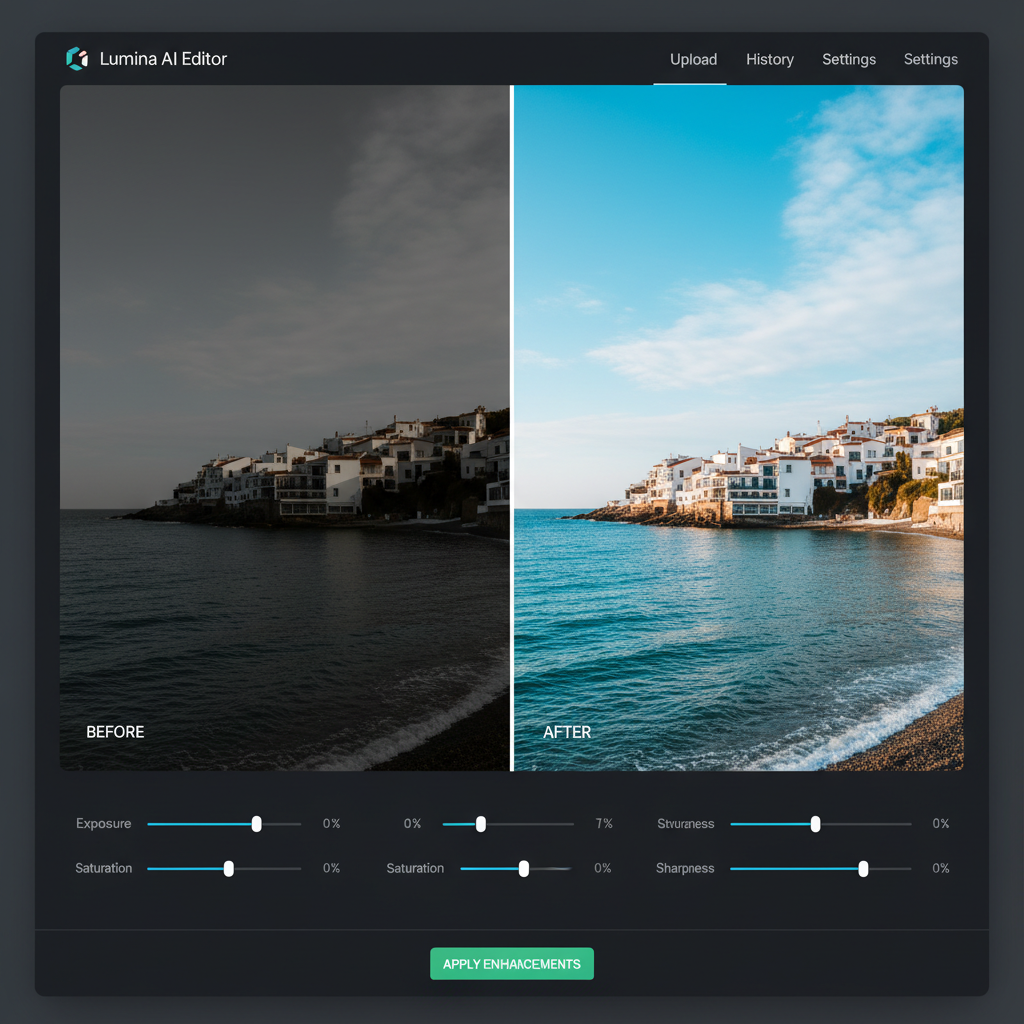
Enhance & Restore
Online AI image editing
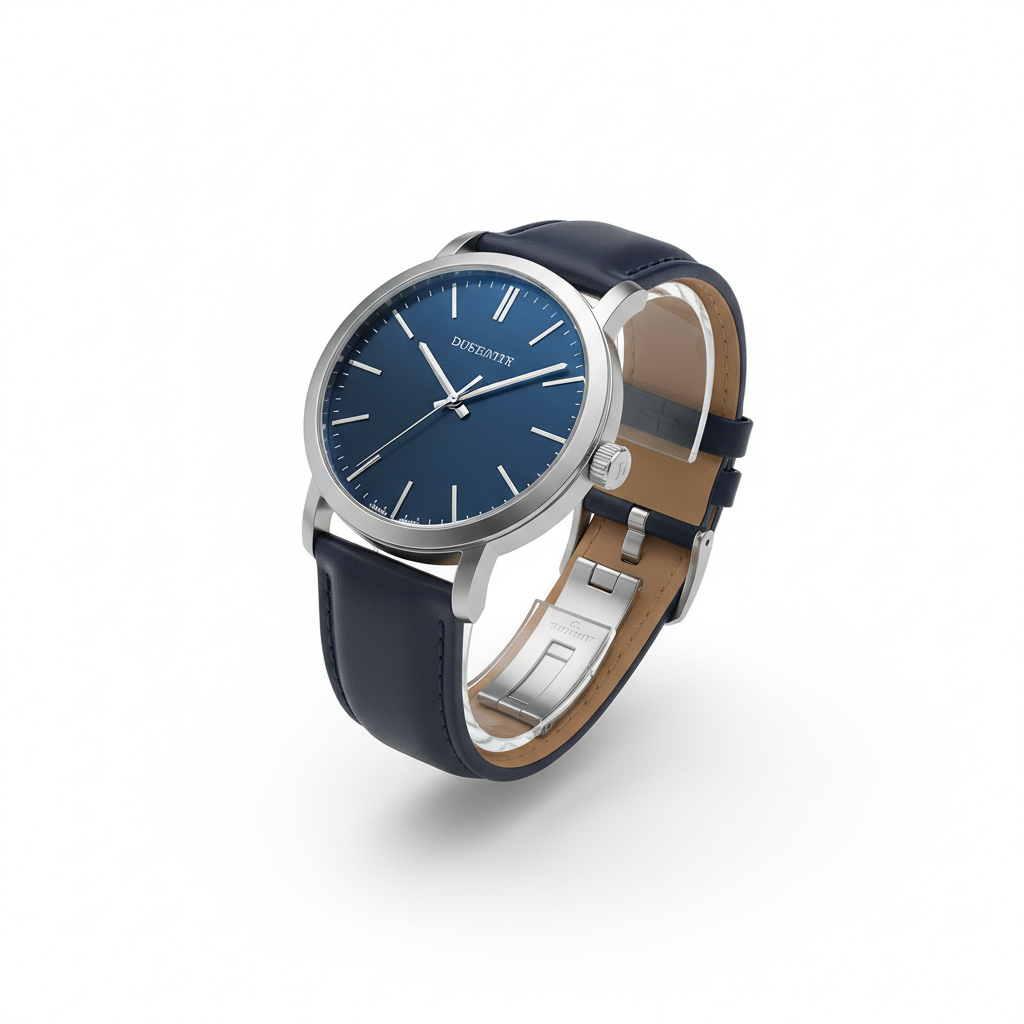
Clean Product Shot
White background edit

Background Swap
Remote photo editing AI

Sky Replacement
Web-based AI photo editing
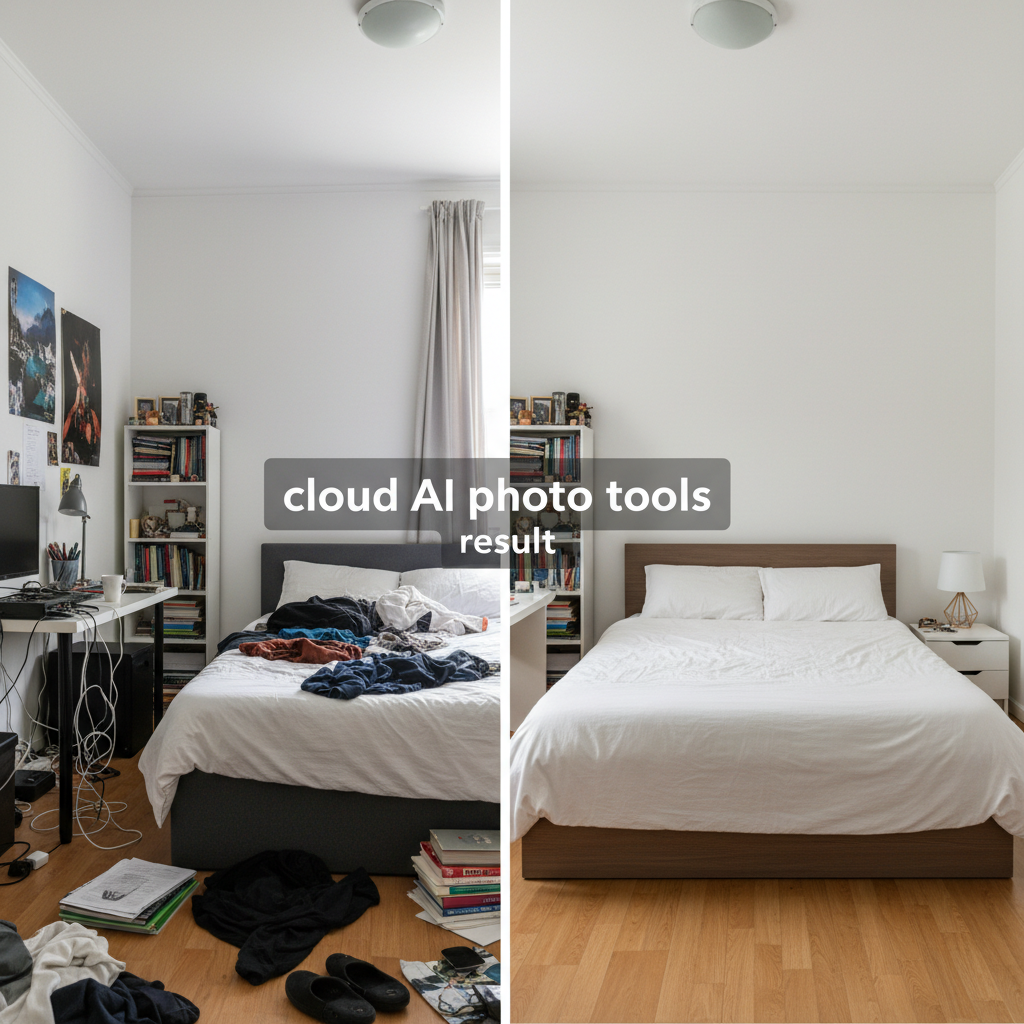
Object Removal
Cloud AI photo tools
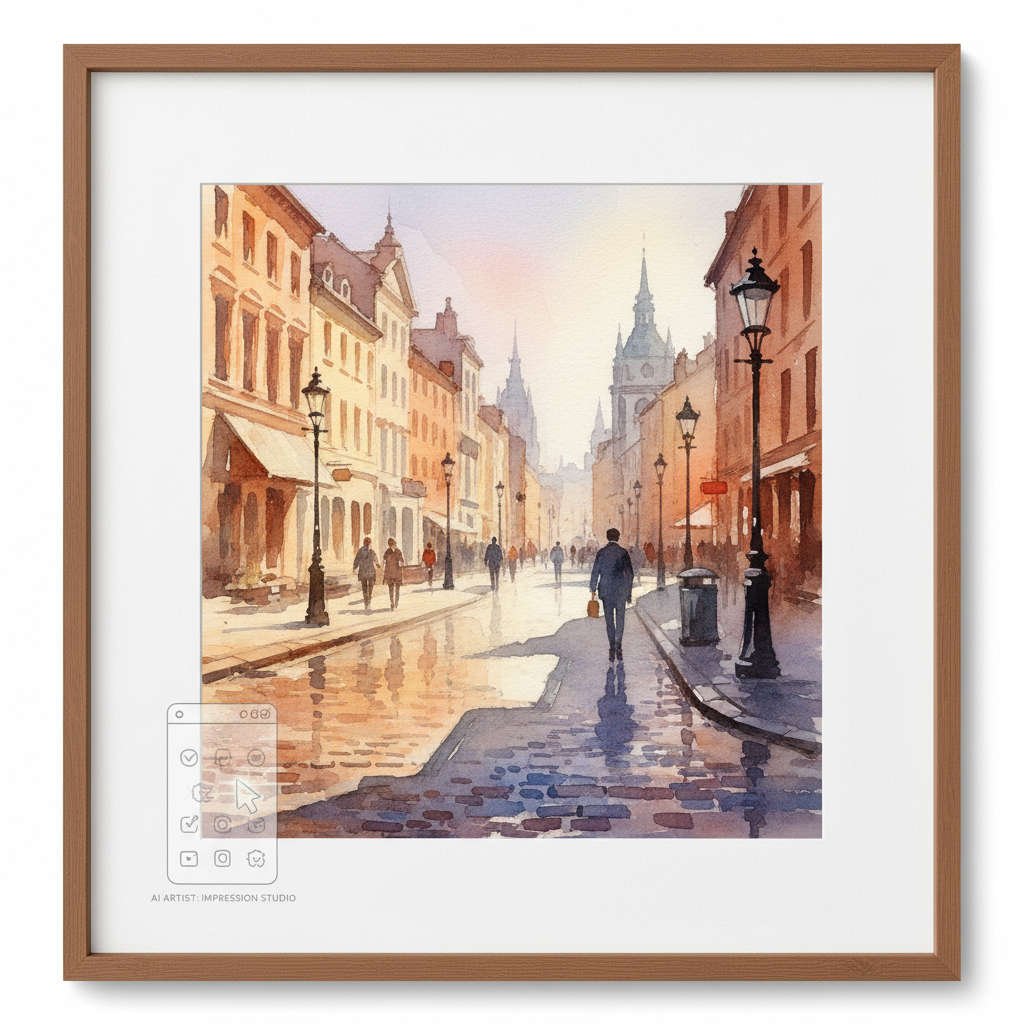
Artistic Style
Creative style transfer
How the Cloud-Based AI Image Editor Works
Three simple steps to edit photos online — no install required
Open in Your Browser
Just visit the page — there is nothing to download. Because this is a cloud-based AI image editor, all the AI runs on remote servers, so online AI image editing works instantly on any laptop, tablet, or phone with a browser.
Choose or Describe an Edit
Pick a preset — enhance to 4K, white background, background swap, sky replacement, remove objects, or artistic style — or type your own instruction. The web-based AI photo editor turns your prompt into a precise, high-quality edit.
Download Anywhere
Remote photo editing AI returns a high-resolution result in about fifteen seconds. Download it on the spot and use it in your posts, store, or portfolio. Want a different look? Adjust the prompt and generate again — cloud AI photo tools make iterating instant.
Why Choose This Web-Based AI Photo Editor
Everything you need for online AI image editing, anywhere
Runs Entirely in the Cloud
A cloud-based AI image editor moves every heavy computation off your device and onto powerful remote servers. That means online AI image editing works the same whether you are on a top-spec workstation or a budget laptop — the model does the processing in the cloud and streams the finished, high-resolution image back to your browser in about fifteen seconds. No GPU, no waiting, no crashes.
Edit From Any Device, Anywhere
Because it is a true web-based AI photo editor, you only need a browser and an internet connection. Start an edit on your desktop, continue on a tablet in a café, and finish on your phone on the train. This is remote photo editing AI built for digital nomads, remote workers, and photographers who refuse to be tied to one machine — your editing tools travel with you, always in sync and always up to date.
No Install, No Setup, No Updates
Traditional editors demand downloads, licenses, and constant updates. A cloud-based AI image editor has none of that. Open the page and start creating — the latest model always runs server-side, so you never patch software or worry about compatibility. Online AI image editing removes the friction between having an idea and shipping a finished image, which is exactly why teams switch to cloud AI photo tools.
Powerful Edits in One Click
Enhance dull photos to vivid 4K, drop products onto clean white backgrounds, swap or remove backgrounds, replace skies, erase unwanted objects, and apply artistic styles — all from a single web-based AI photo editor. The cloud-based AI image editor turns edits that used to take manual masking and layers into a one-click, prompt-driven result, so both beginners and professionals get studio-quality output fast.
Lightweight on Your Hardware
Desktop editing software can bring an older computer to its knees. With a cloud-based AI image editor, your machine only renders a web page while the remote servers handle the AI. That makes online AI image editing perfect for Chromebooks, thin-and-light laptops, and phones. Remote photo editing AI gives modest hardware access to the same professional results a high-end workstation would produce.
Free to Start, Pro When You Need It
You can try the cloud-based AI image editor free with no login, install, or credit card — usage is protected with per-IP limits instead of an account wall. Pick a preset or describe your edit and download the result. From just $2.99 you unlock unlimited generations, watermark-free high-resolution downloads, and full commercial rights, making cloud AI photo tools affordable for everyday professional work.
Cloud-Based AI Image Editor — FAQ
Everything you need to know about online AI image editing
Edit Photos in the Cloud — Free
Skip the install and the hardware requirements. This cloud-based AI image editor delivers professional online AI image editing in about fifteen seconds, from any device — no login. Pick an edit or describe your idea and let remote photo editing AI do the work.
Start Editing FreeThe Complete Guide to a Cloud-Based AI Image Editor
For years, serious photo editing meant expensive desktop software, a powerful computer, and a long learning curve. A cloud-based AI image editor changes that completely. Instead of running the software on your own machine, all of the intelligence lives on remote servers, so online AI image editing happens in the cloud and returns a finished image to your browser in seconds. On aibanana.net, the cloud-based AI image editor is powered by the Nano Banana Pro model, delivering high-resolution, professional-grade edits without a single download. Whether you need to enhance a dull photo, clean up a product shot, or reinvent an image with a new background, this web-based AI photo editor puts studio-quality results within reach of anyone with an internet connection.
The biggest advantage of a cloud-based AI image editor is freedom. Because the heavy compute runs remotely, remote photo editing AI works identically on a high-end workstation, a lightweight Chromebook, or a phone. Digital nomads can edit from a café, remote workers can jump between office and home devices, and photographers can review and refine on the go. There is nothing to install, no license to manage, and no updates to chase — the cloud AI photo tools always run the latest model server-side. Start an edit on one device, finish it on another, and share the result instantly. That portability is exactly why online AI image editing has become the default for teams and creators who value flexibility.
This web-based AI photo editor covers the edits people actually need. Enhance underexposed or low-quality images into vivid 4K, place products on clean white backgrounds for your store, swap or remove backgrounds for portraits, replace flat skies with dramatic sunsets, erase distracting objects, and apply artistic styles like watercolor. Each of these used to require careful manual masking and layer work; with a cloud-based AI image editor, they become one-click, prompt-driven results. You describe the change in plain language or pick a preset, and remote photo editing AI handles the technical execution — so both first-time editors and seasoned professionals get polished output in a fraction of the time.
You can try the cloud-based AI image editor free on this page with no account, email, or credit card required — usage is protected with per-IP rate limits instead of a login wall, so you can experience online AI image editing risk-free. Paid plans start at just $2.99 and unlock unlimited generations, watermark-free high-resolution downloads, and full rights to use your edited images commercially in ads, social media, online stores, and presentations. In a world where you work from anywhere and switch devices all day, a cloud-based AI image editor is not just convenient — it is the natural way to edit. Choose an edit or describe your idea above, and let cloud AI photo tools transform your images in seconds.