
AI Vintage Photo Restorer
Bring Old Photos Back to Life
Upload a faded, scratched, or torn old photo and the AI vintage photo restorer repairs the damage, sharpens every face, and adds natural color in about fifteen seconds. Built to preserve family memories and history, this vintage photo restoration tool removes creases, stains, and fading while staying faithful to the original — no Photoshop, no editing skills, and no login. Restore old photos free below and watch a fragile memory come back to life.
Try the AI Vintage Photo Restorer — Free
Upload your old, faded, or damaged photo, choose a restoration style, and let the AI repair, sharpen, and colorize it in seconds
AI Vintage Photo Restorer
Upload an old photo, pick a restoration style, and get a repaired, high-resolution version instantly
Upload a scan or photo of your old image, choose a restoration style, and click Generate
AI Vintage Photo Restoration in Action
Six old photos repaired, sharpened, and colorized by the AI vintage photo restorer
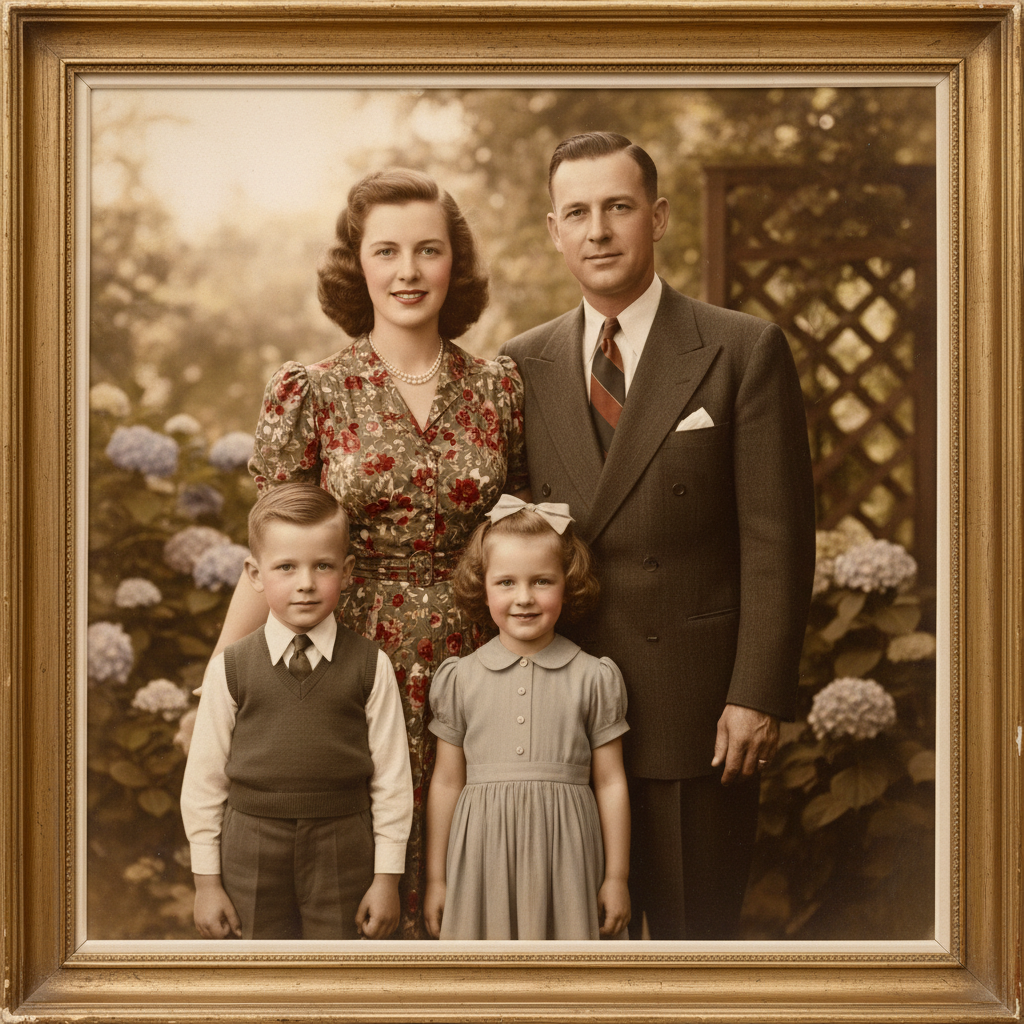
Family Portrait Revived
Repair + colorize
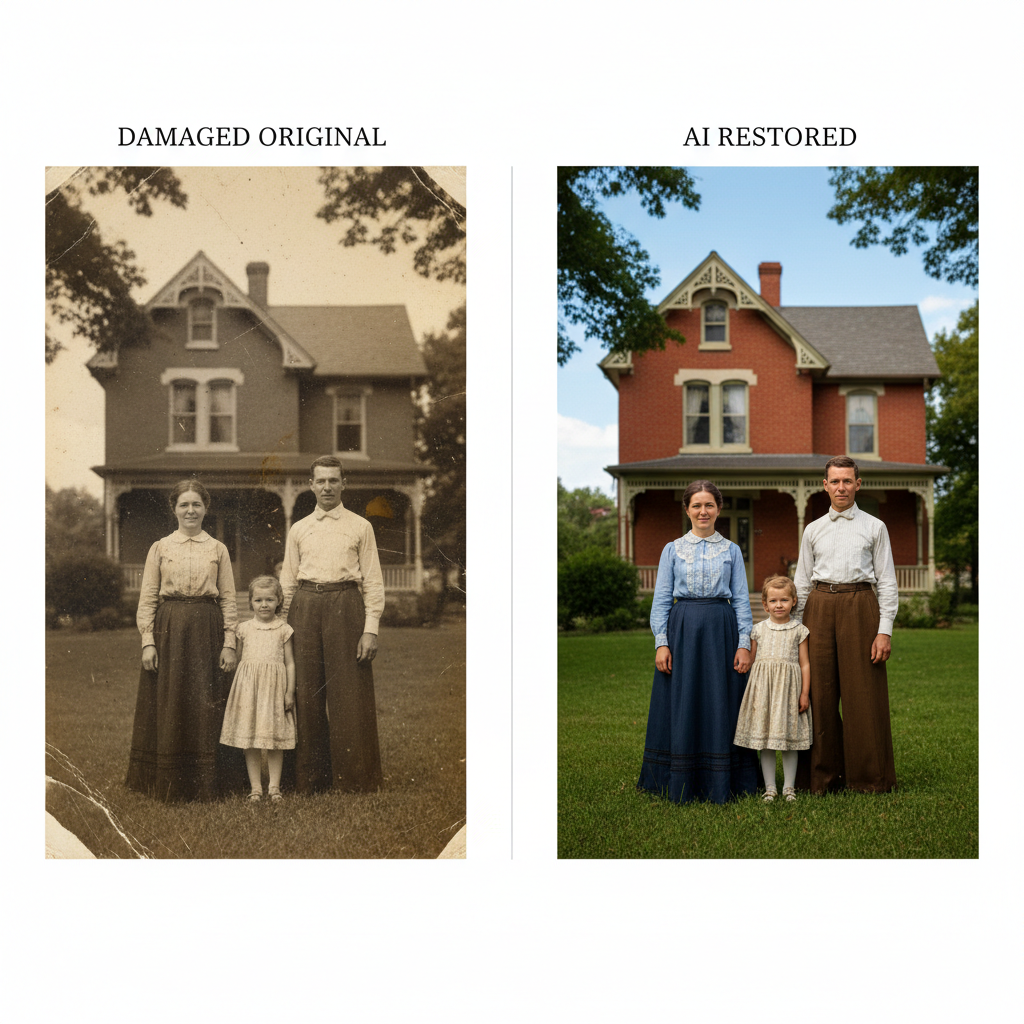
Before & After
Faded to full color
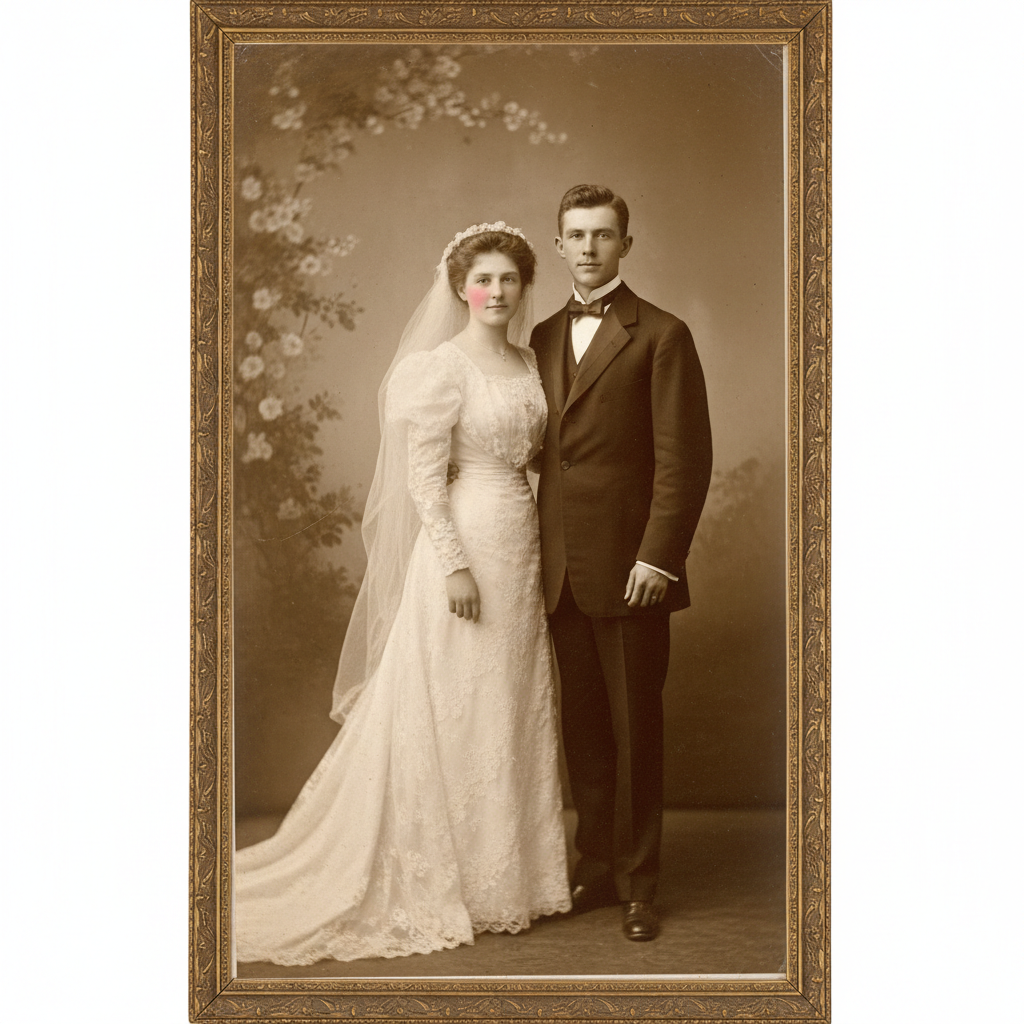
Antique Wedding Photo
Crack + stain repair
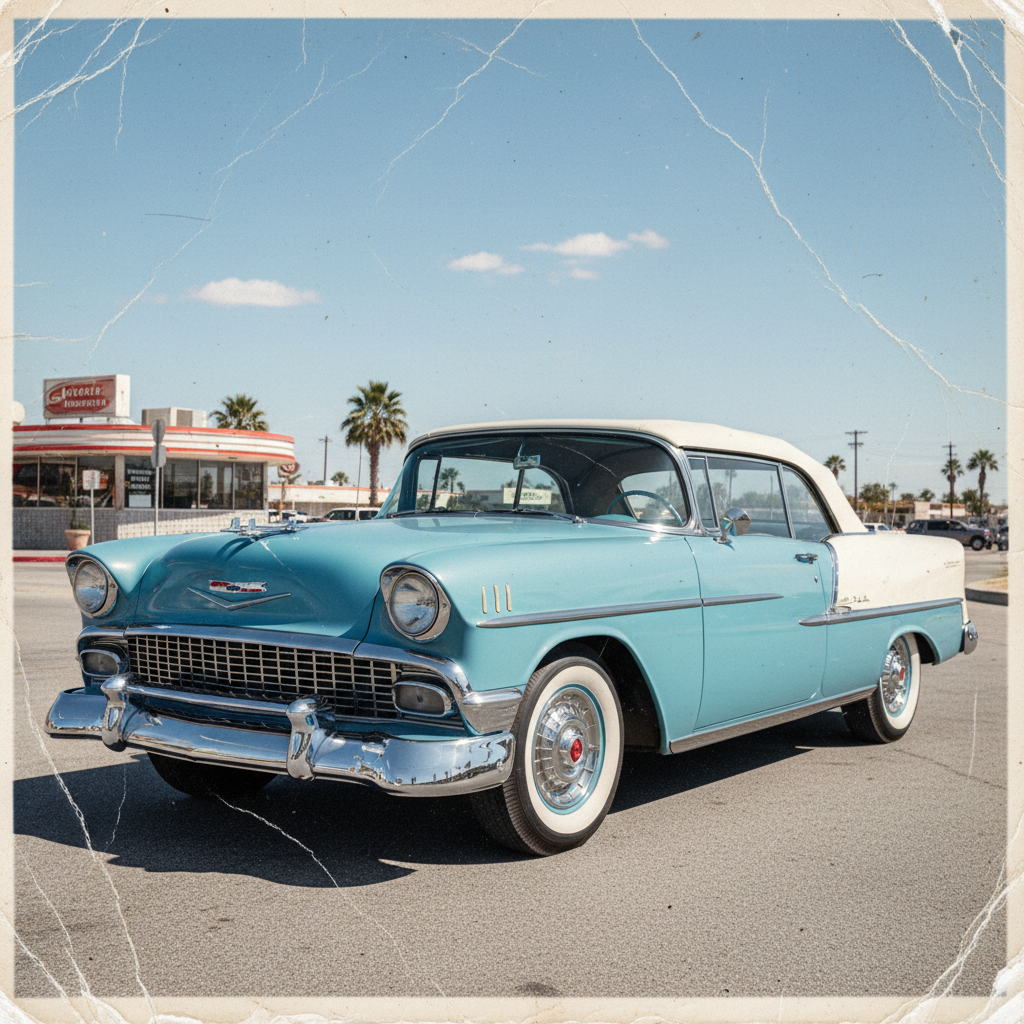
Vintage Car Restored
Color revival
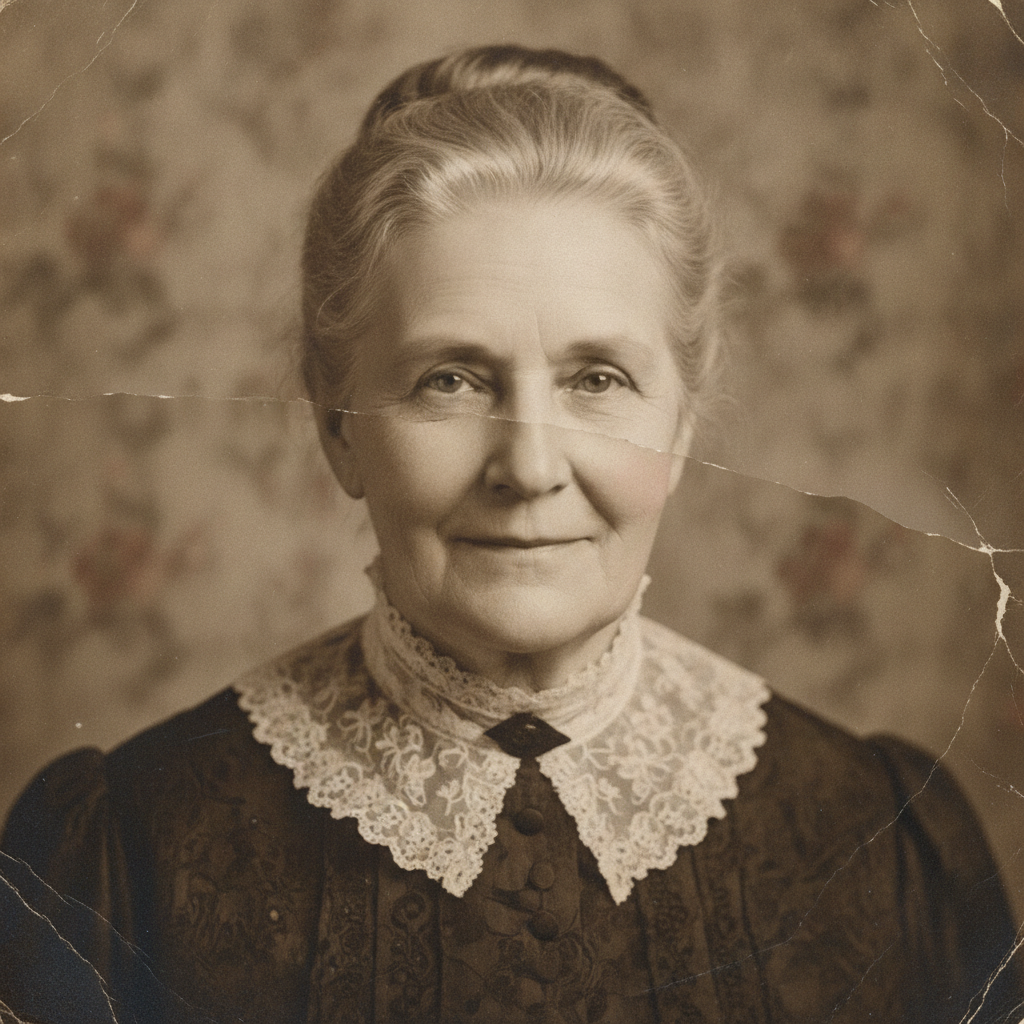
Damage Reconstructed
Water + tear repair
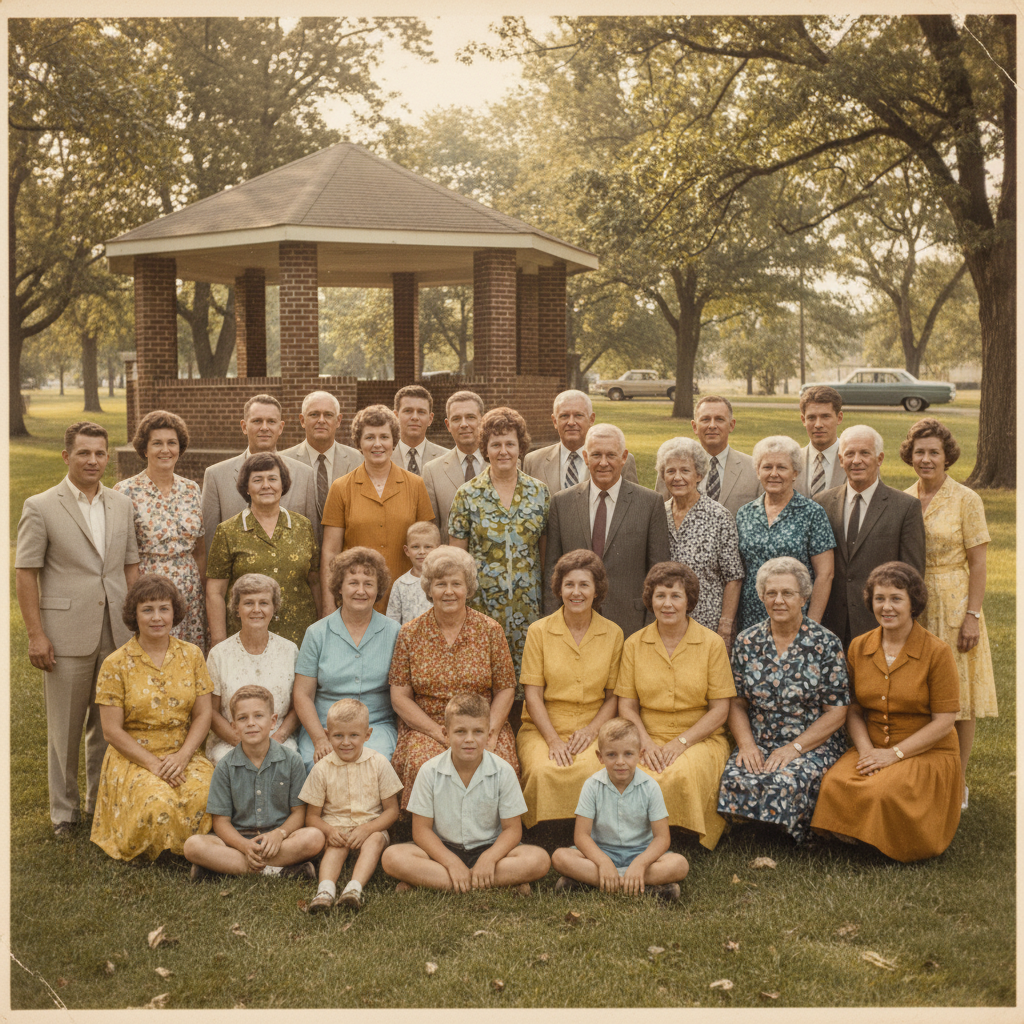
Group Photo Sharpened
Sharpen + recolor
How to Restore Old Photos with AI
Three simple steps from a damaged print to a revived, high-resolution memory
Upload Your Old Photo
Scan or photograph your old, faded, or damaged print and upload it to the AI vintage photo restorer above. Use the clearest, highest-resolution copy you have — the better the source, the more faithfully the AI can repair faces and rebuild detail. Any era works, from tintypes and sepia portraits to 1970s color snapshots.
Choose a Restoration Style
Pick a preset — repair and colorize, black-and-white cleanup, damage repair, sharpen and enhance, sepia revival, or a gentle restore that keeps the vintage feel. Or describe exactly what you want fixed, like removing a large stain or repairing a torn corner. The AI vintage photo restorer focuses on the damage that matters most to your image.
Download Your Restored Photo
In about fifteen seconds the vintage photo restoration is ready. Download the repaired, high-resolution image and print it, frame it, share it at a reunion, or archive it safely. Not quite right? Adjust the style or prompt and generate again — restoring old photos with AI is instant, so you can iterate until the memory looks perfect.
Why Choose This AI Vintage Photo Restorer
Everything you need to repair, colorize, and preserve your old photographs
Repair Scratches, Tears & Water Damage
The AI vintage photo restorer automatically detects and removes scratches, creases, dust, stains, torn edges, and water damage, then rebuilds the missing areas so the result looks natural rather than patched. For heavily damaged photos it reconstructs faces, clothing, and backgrounds from surrounding detail, turning a photo you thought was ruined into a clean, printable image without a single manual clone-stamp stroke.
Colorize Black-and-White & Sepia Photos
Add realistic, natural color to old black-and-white and sepia photographs in one step. The AI vintage photo restorer recognizes skin tones, clothing, skies, and foliage, then applies historically believable colors while keeping the authentic character of the original. Colorization and damage repair happen together, so a scratched, faded monochrome family portrait can come back sharp and full color instantly.
Sharpen Faces and Recover Lost Detail
Blurry, soft, and low-resolution vintage photos regain clarity as the AI enhances facial features, restores skin texture, and rebuilds fine detail in eyes, hair, and clothing. Vintage photo restoration stays faithful to the people in the picture — it clarifies and repairs without turning them into different faces — so the memory looks the way you remember it, only crisper and clearer.
Preserve Family Memories Forever
Fading, brittle prints do not last, but a restored digital file does. Use the AI vintage photo restorer to revive heirloom photos, wedding portraits, military pictures, and childhood snapshots before you print, frame, or share them at reunions and memorials. Families, genealogists, and archivists use it to rescue entire boxes of old prints and keep history alive in high resolution.
Faithful, Natural-Looking Restorations
Good restoration should look like the original photo on its best day — not an over-processed filter. The AI vintage photo restorer balances repair and authenticity, preserving grain character, era, and identity while removing the damage. You control the outcome with restoration styles and prompts, from a light cleanup that keeps the vintage feel to a full repair-and-colorize revival.
Free, Instant, No Editing Skills Needed
Professional photo restoration used to cost money and take days. The AI vintage photo restorer returns a repaired, high-resolution result in about fifteen seconds, free to start with no account, install, or credit card. There are no layers, masks, or tools to learn — upload, choose a style, and download. Unlimited restorations and watermark-free downloads unlock from just $2.99.
AI Vintage Photo Restorer — FAQ
Everything you need to know about restoring old photos with AI
Restore Old Photos Free — Before the Memory Fades
Every fading print is a memory at risk. The AI vintage photo restorer repairs scratches, tears, and stains, sharpens faces, and adds natural color in about fifteen seconds — no editing skills, no software, no login. Upload your old photo now and bring a piece of family history back to life.
Restore Your Photo FreeThe Complete Guide to the AI Vintage Photo Restorer
Old photographs are some of the most precious things a family owns, yet they are also the most fragile — prints fade, colors shift, paper cracks, and a single spill or tear can erase a face forever. An AI vintage photo restorer changes that by using artificial intelligence to repair and revive damaged images in seconds. Instead of shipping irreplaceable prints to a restoration studio or spending hours in Photoshop, you upload a scan and the AI vintage photo restorer on aibanana.net analyzes the damage, removes scratches, creases, dust, and stains, reconstructs missing areas, sharpens blurry faces, and can add natural color to black-and-white and sepia images. Powered by the Nano Banana Pro model, it returns a high-resolution restored photo in about fifteen seconds, making professional-quality vintage photo restoration available to everyone rather than only to specialists.
Restoring old photos with AI is refreshingly simple. Upload the clearest copy of your old photo, choose a restoration style — repair and colorize, black-and-white cleanup, damage repair, sharpen and enhance, sepia revival, or a gentle restore that preserves the vintage feel — and click generate. The AI vintage photo restorer handles the technical work automatically: it detects the type and location of damage, repairs it using surrounding detail so the result looks natural rather than patched, and balances tone and contrast to bring the image back to life. You can also describe specific problems in your own words, such as repairing a torn corner, removing a large water stain, or focusing detail on a particular face. Because the whole process happens in seconds and requires no editing skills, families, genealogists, historians, and photo archivists can work through entire boxes of old prints quickly and affordably.
What sets a great AI vintage photo restorer apart is faithfulness. The goal is not to invent a new picture but to reveal the original photograph on its best day — so the tool preserves the identity of the people, the character of the era, and the authentic feel of the image while removing only the damage. Faces are sharpened and repaired without being turned into different people, colorization uses historically believable tones, and light restoration options keep the nostalgic grain and warmth that make vintage photos special. For irreplaceable family images, uploading the highest-resolution scan you have gives the AI the most detail to work from and produces the most accurate restoration. Whether you are reviving a great-grandparent's wedding portrait, a military photo, a childhood snapshot, or a faded family reunion, the vintage photo restoration stays true to the memory.
You can restore old photos free on this page with no account, no software install, and no credit card — usage is protected with per-IP rate limits instead of a login wall, so you can try the AI vintage photo restorer risk-free and see the before-and-after difference immediately. Paid plans start at just $2.99 and unlock unlimited restorations, watermark-free high-resolution downloads, and full rights to print, frame, and share your restored images, which makes preserving an entire family archive genuinely affordable. Fading prints will not last forever, but a restored digital file will. Upload your old photo above, pick a restoration style, and let the AI vintage photo restorer bring a piece of your family history back to life in seconds.