
AI Spec-Driven Art Tool
Write the brief, not a wish. The AI spec-driven art tool takes a written specification — palette, ratio, composition grid, material, lighting, exclusions — and renders to it, so a whole batch of AI spec-driven art comes back matching instead of merely rhyming.
Try It Now — Free
Each preset below is a complete specification, not a style label. Pick the one closest to your brief, add your subject, and edit the clauses that do not fit.
AI Spec-Driven Art Tool
Choose a specification, add your subject, and generate art that follows the parameters instead of improvising them
Six Specifications, Six Renders, No Retouching
Every image below came out of the tool on this page using the specification named on its card. The label tells you which clause the spec was leaning on hardest.





The Six Clauses of an AI Spec-Driven Art Brief
A specification is not a longer prompt. It is a set of named parameters you can review a render against, clause by clause.
Medium and rendering style
The single highest-leverage clause, and the one most often left implicit. Flat vector, retro screenprint, isometric 3D render, macro photograph and technical line-art are separate worlds with separate failure modes, and the model will pick one for you if you do not. Naming the medium first also removes an entire class of drift, because everything downstream — edge quality, shadow behaviour, texture — inherits from it.
Palette, stated as colours
Write "deep navy, bone white and a single saturated amber accent", not "a warm sophisticated palette". Adjectives get reinterpreted on every run; named colours hold. If you work inside a brand book, name the brand colours directly and add the relationship you want between them — dominant, secondary, accent — so the ratio of the palette stays fixed as well as its members.
Composition and negative space
State the grid, where the focal element sits, and any region that must stay empty. Margin is the clause people forget, and it is the one that decides whether an asset survives being cropped for a card, a banner and a square thumbnail. Asking for a clear band across the lower third costs six words and saves a retouching pass later.
Subject, in nouns
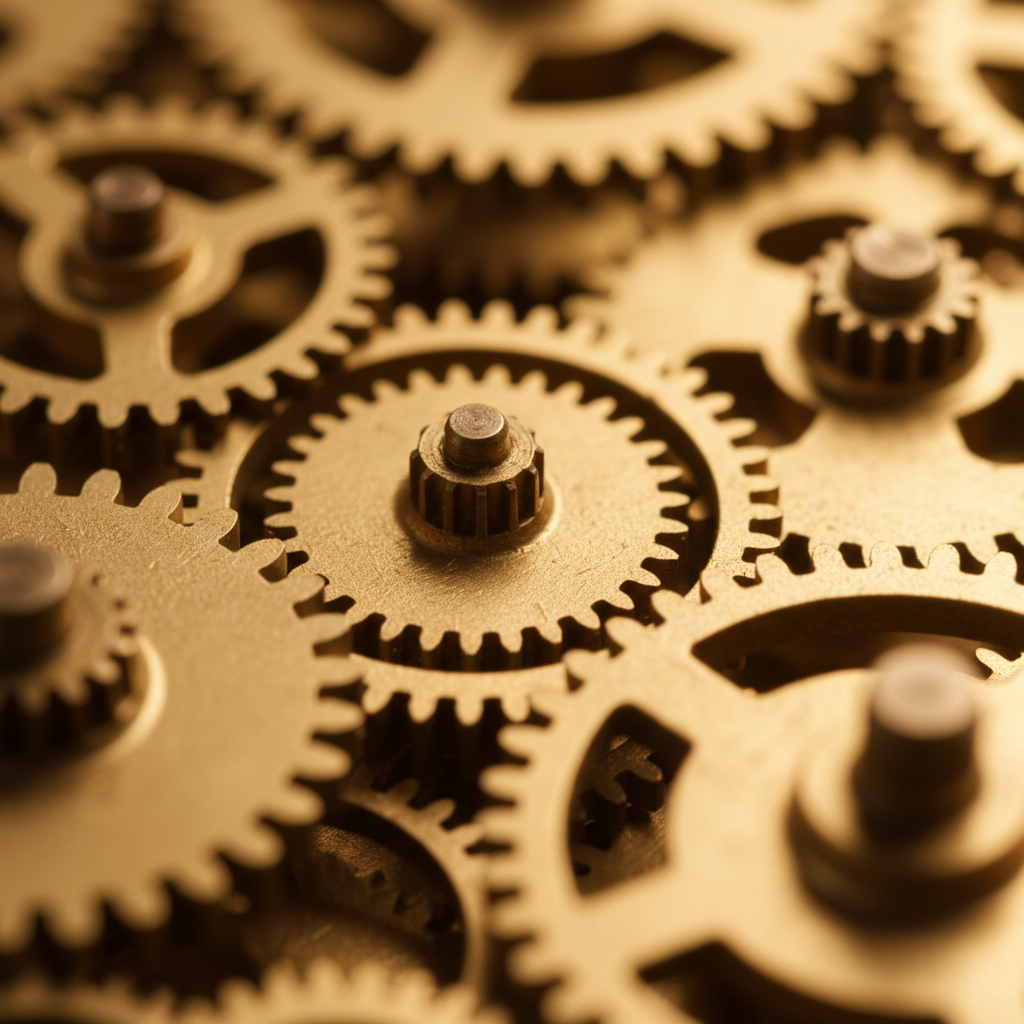
Concrete nouns behave far better than moods. "Interlocking brass gears with shallow depth of field" resolves; "a sense of precision engineering" does not. This is also the clause you deliberately vary across a batch — keeping every other clause frozen and swapping only the subject phrase is what produces a set that reads as one family.
Lighting and material
Direction, quality and finish. Soft studio light from the upper left on a matte ceramic surface is a different image from hard raking light on polished brass, and both are reproducible. For photographic specs this clause carries most of the realism; for flat vector work it collapses to a simpler statement about whether shadows exist at all.
Exclusions
What must not appear. Text and lettering are the usual culprits in diagram-adjacent work, where the model happily renders convincing but meaningless words. Watermarks, signatures, borders and stray hands belong here too. Exclusions are cheap to write and disproportionately effective, because they close off the specific ways a render goes wrong rather than describing the way it should go right.
How the AI Spec-Driven Art Tool Works
Write the specification
Pick the preset closest to your brief and read what it actually says — medium, palette, composition, lighting, exclusions. Edit the clauses that conflict with your requirements and leave the rest alone. Anything you do not pin down is a parameter you are handing to the model to decide, which is fine as long as it is deliberate.
Generate and review clause by clause
Check the result against the spec rather than against your taste. Did the palette hold? Is the margin clear? Is the material right? Reviewing against a written brief turns a vague sense that something is off into a specific clause to rewrite, which is the whole reason to work this way.
Freeze it and vary one thing
Once a spec produces what you want, keep it byte-identical and change only the subject phrase to generate the rest of the set. Save the final text alongside your exports so the series can be extended later. Fix misses by editing the spec and regenerating, not by patching individual images.
What This Spec Art Tool Gives You
Six capabilities that decide whether detailed art creation stays a novelty or becomes something a team can rely on twice.
Constraints That Hold Across a Batch
The value of specification-based AI art is not one good image, it is the twelfth image still matching the first. Freeze the medium, palette, lighting and composition clauses, vary only the subject, and a set generated over an afternoon stays coherent enough to ship together — which is the thing freeform prompting reliably fails to deliver once you need more than a hero shot.
Presets That Are Already Specifications
Every preset on this page is a full spec rather than a style label — medium, palette, composition, lighting and exclusions all stated. Start from the one closest to your brief, then edit clauses instead of writing from a blank box. Most of the work in detailed art creation is remembering which parameters you forgot to pin down, and a preset does that remembering for you.
Reproducible Months Later
Because the input is text, the recipe survives. Save the specification next to the exported PNGs and a teammate can extend the set a quarter later without reverse-engineering your taste from the images. This is the practical difference between AI art customization as a one-off experiment and as something a team can actually maintain.
Image-to-Image for Spec Compliance Fixes
When a render misses one clause but nails the rest, regenerating from scratch throws away the parts that worked. Upload the near-miss and describe only the correction — raise the contrast, change the accent to amber, empty the lower third — so the composition and identity survive while the failing parameter gets brought into line.
4K Output for Print and Large Format
Specifications that lean on fine geometry, thin concentric grooves or tightly stepped tonal grids need resolution to survive. Paid plans render at 4K, which keeps hard vector edges hard and macro detail readable when the asset goes to print, a retina display or a presentation wall rather than a thumbnail.
Honest About What Follows and What Drifts
Palette, medium, framing, lighting and background are followed closely. Exact object counts, precise measurements and small text are not — a spec asking for exactly thirty-seven hexagons yields a plausible hexagon field, not thirty-seven. Knowing which clauses are reliable is what separates a working spec practice from a frustrating one, so write the hard constraints as things the model can see rather than count.
Where Specification-Based AI Art Earns Its Keep
Four situations where the requirement is consistency across a batch, not brilliance in a single frame.
Design systems and illustration sets
A system needs its illustrative layer to look like one hand made it. Generating forty spot illustrations from a frozen specification with only the subject varying produces that coherence directly, instead of relying on a human to eyeball consistency across a library that grows for years.
Engineering and technical documentation
Docs teams need diagram-adjacent art — abstract mechanisms, lattice structures, exploded assemblies — that matches an existing document style across dozens of pages. A specification that fixes line weight, palette and background is far more useful here than a prompt that produces one beautiful outlier.
Agency work inside a brand book
When the palette and tone are contractual rather than aesthetic, AI design parameters map cleanly onto the client brief. The spec becomes the artefact you review with the client before generating, which moves the argument to a paragraph of text rather than a stack of rejected renders.
Concept and variation studies
Product and game artists exploring a form need everything except the form held constant. Fixing the material, lighting and camera in a spec and sweeping the subject gives a variation study where the differences are the thing you changed, not incidental noise from the renderer.
AI Spec-Driven Art Tool — Common Questions
An AI spec-driven art tool is an image generator you drive with a written specification rather than a mood. Instead of asking for "something cool and geometric", you state the constraints that actually matter to you: the palette by name or hex, the aspect ratio, the grid the composition sits on, the material and finish, the lighting direction, the number of repeated elements, the margin you need kept clear. Specification-based AI art treats the prompt as a build sheet, so the output is reviewable against something concrete — you can point at a clause and say it was not met, which you cannot do with a vibe.
Write One Spec and See What Comes Back
Free trial credits, no credit card, no signup wall. Take the brief you are already working to, turn it into six clauses, and find out how much of it the model actually honours.
Start Creating FreeUnderstanding the AI Spec-Driven Art Tool
Most disappointment with image models is not a quality problem, it is a specification problem. A freeform prompt describes maybe a third of what you actually care about and silently delegates the rest — background treatment, margin, palette ratio, light direction, whether shadows exist — to whatever the model felt like that run. The image comes back beautiful and wrong, and because nothing was written down there is no way to say which part was wrong. An AI spec-driven art tool closes that gap by making the brief explicit: you state the parameters, the render either honours them or it does not, and the review becomes a checklist rather than a shrug.
The idea borrows directly from how engineering teams have started working with language models, where a written spec is treated as the durable artefact and the generated output as something disposable that can always be regenerated from it. The same logic transfers cleanly to images. A specification is text, so it can be saved, diffed, reviewed with a client before a single credit is spent, and handed to a colleague who needs to extend the set six months later. AI spec-driven art is reproducible in a way that a lucky prompt typed into a box at midnight simply is not, and that reproducibility is what makes it usable inside a team rather than by one person with good instincts.
It is worth being precise about the limits, because overselling constraint-following is how people end up distrusting the whole approach. Nano Banana Pro holds palette, medium, aspect ratio, framing, lighting direction and background treatment closely, and it respects exclusions well enough that adding a no-text clause genuinely stops it rendering garbled lettering into diagrams. What it does not do is count. Exact quantities of small repeated objects, precise numeric dimensions and tiny type are approximations, not guarantees. Detailed art creation with AI design parameters works best when the hard constraints are expressed as things the model can see — a palette, a grid, an empty band — rather than as numbers it would have to tally.
In practice the workflow is short. Start from the preset closest to your brief, since each one on this page is already a complete six-clause specification rather than a style name. Edit the clauses that conflict with your requirements, generate, and review the result against the text rather than against your mood. When it lands, freeze everything except the subject phrase and run the rest of the batch. Save the spec next to the exports. This spec art tool is free to try with no signup, renders in seconds, and supports 4K output and full commercial rights on plans from $2.99 — enough to turn one working specification into a coherent set in an afternoon, and to still be able to add to that set next quarter.